




Command Blocks Mod for MCPE hakkında
The Command Block (ID 137) can be obtained by using the creative inventory.
The Command Block (ID 137) can be obtained by using the creative inventory. It’s a block which when triggered by a redstone signal can execute both javascript and custom mod commands.
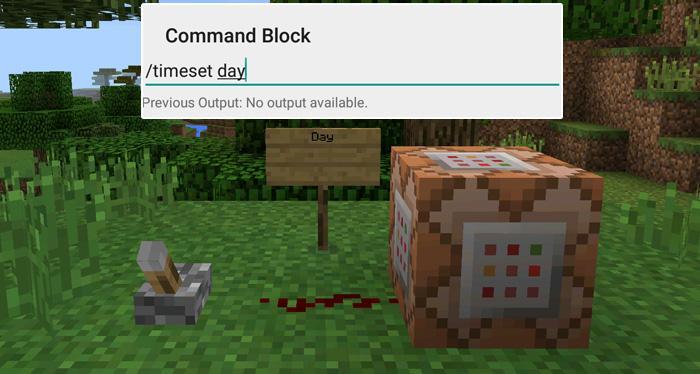
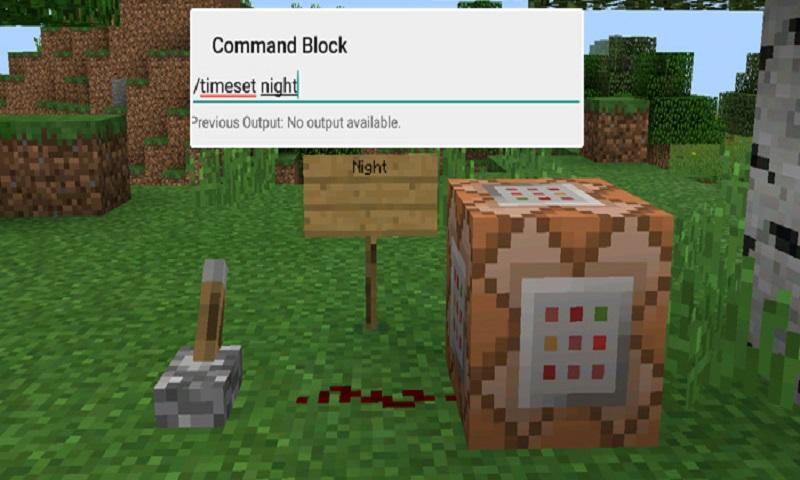
In this example we will be using the commands available in the X-Commands mod to explain how you can use redstone and the Command Block to switch time between day and night.
Begin by placing down the first Command Block which will be used for activating night-time. Tap on the block to set the command to use. Here you can also enter JavaScript, e.g.: javascript: Level.setRainLevel(1); – this would turn on rain
Then place down the second Command Block and let’s set it to execute the day command.
Now use the levers to trigger the redstone signal. The redstone signal will then transmit power to the Command Block which will in return execute the command it is setup to execute.
Ek OYUN Bilgileri
En Son Sürüm
1.0Yükleyen
陈先进
Gereken Android sürümü
Android 4.0.3+
Kategori
Ücretsiz Macera Oyunları OYUNİçerik derecelendirmesi
Everyone
Bildir
Uygunsuz olarak işaretleEn son sürümde yeni olan 1.0
Last updated on Sep 29, 2016
Bu sürümde küçük hata düzeltmeleri ve genel iyileştirmeler bulunur. En iyi deneyim için en yeni sürüme güncelleyin.
Command Blocks Mod for MCPE Ekran görüntüleri

Command Blocks Mod for MCPE'in eski sürümleri
10.3 MBSep 29, 2016

İlgili Etiketler


![The Exorcist[Story of School] APK](https://image.winudf.com/v2/image/Y29tLnRhYm9tLnByb2plY3RzY2hvb2x1c19pY29uX3E3NDhkaGhm/icon.png?w=102&fakeurl=1)
















Command Blocks Mod for MCPE için bir inceleme bırakın
Yorum Ekle