

Command Blocks Mod for MCPE 정보
The Command Block (ID 137) can be obtained by using the creative inventory.
The Command Block (ID 137) can be obtained by using the creative inventory. It’s a block which when triggered by a redstone signal can execute both javascript and custom mod commands.
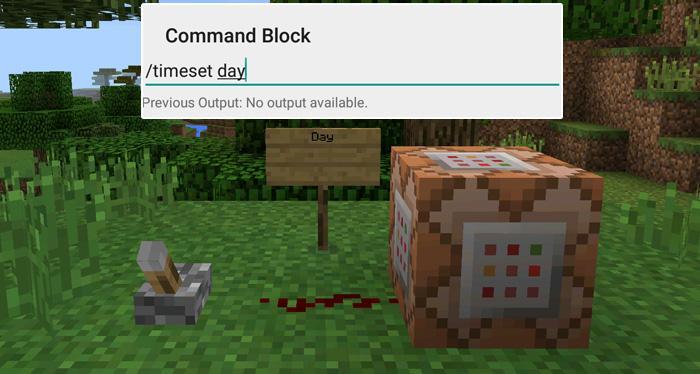
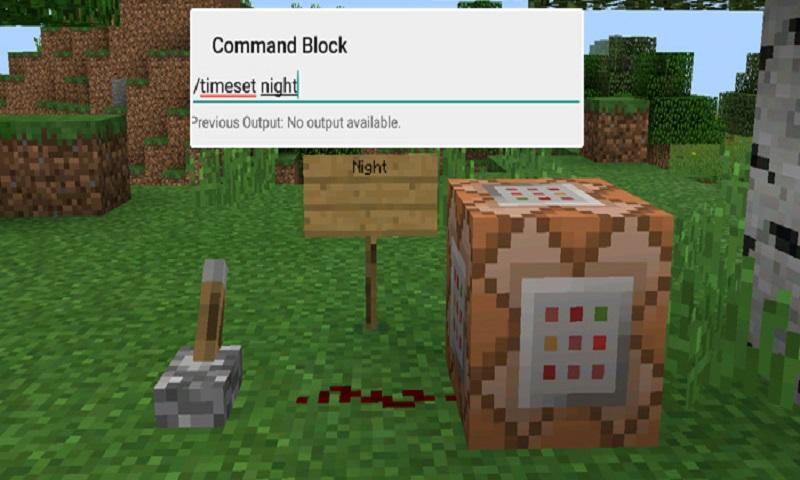
In this example we will be using the commands available in the X-Commands mod to explain how you can use redstone and the Command Block to switch time between day and night.
Begin by placing down the first Command Block which will be used for activating night-time. Tap on the block to set the command to use. Here you can also enter JavaScript, e.g.: javascript: Level.setRainLevel(1); – this would turn on rain
Then place down the second Command Block and let’s set it to execute the day command.
Now use the levers to trigger the redstone signal. The redstone signal will then transmit power to the Command Block which will in return execute the command it is setup to execute.
추가 게임 정보
최신 버전 1.0의 새로운 기능
Last updated on Sep 29, 2016
이 버전에는 사소한 버그 수정과 전반적인 개선 사항이 포함되어 있습니다. 최상의 환경을 위해 최신 버전으로 업데이트하세요.
Command Blocks Mod for MCPE 스크린 샷

Command Blocks Mod for MCPE의 오래된 버전
10.3 MBSep 29, 2016



![The Exorcist[Story of School] APK](https://image.winudf.com/v2/image/Y29tLnRhYm9tLnByb2plY3RzY2hvb2x1c19pY29uX3E3NDhkaGhm/icon.png?w=102&fakeurl=1)