




关于Command Blocks Mod for MCPE
命令块(编号137)可以通过使用素材库而获得。
The Command Block (ID 137) can be obtained by using the creative inventory. It’s a block which when triggered by a redstone signal can execute both javascript and custom mod commands.
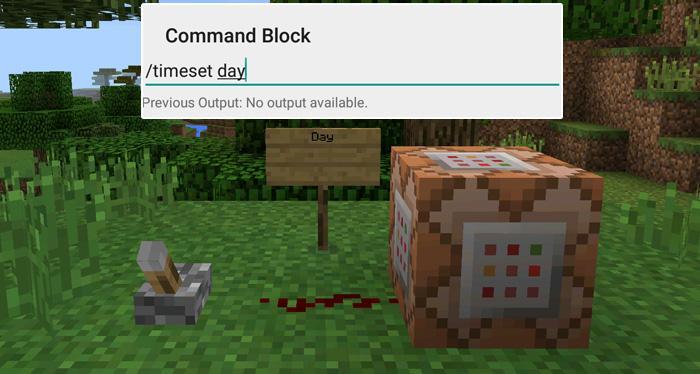
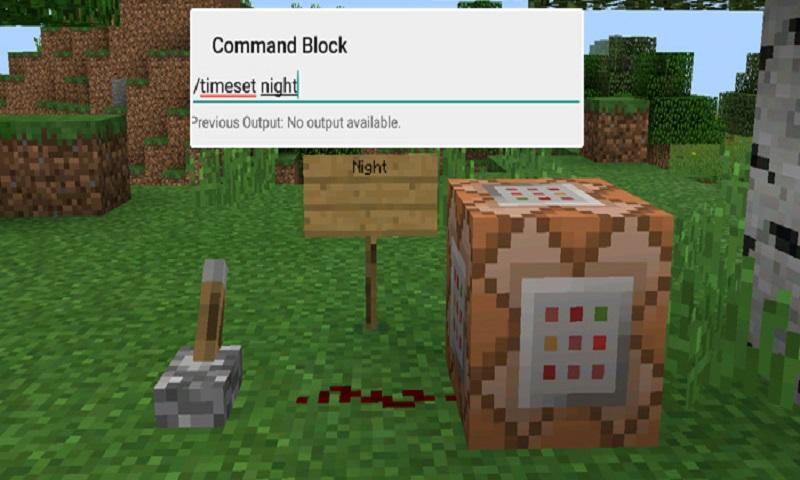
In this example we will be using the commands available in the X-Commands mod to explain how you can use redstone and the Command Block to switch time between day and night.
Begin by placing down the first Command Block which will be used for activating night-time. Tap on the block to set the command to use. Here you can also enter JavaScript, e.g.: javascript: Level.setRainLevel(1); – this would turn on rain
Then place down the second Command Block and let’s set it to execute the day command.
Now use the levers to trigger the redstone signal. The redstone signal will then transmit power to the Command Block which will in return execute the command it is setup to execute.
最新版本1.0更新日志
Last updated on 2016年09月30日
此版本包含小幅错误修复和常规改进。请更新至最新版本,以获得更佳体验。
Command Blocks Mod for MCPE 屏幕截图

Command Blocks Mod for MCPE历史版本
10.3 MB2016年09月30日

相关标签


![The Exorcist[Story of School] APK](https://image.winudf.com/v2/image/Y29tLnRhYm9tLnByb2plY3RzY2hvb2x1c19pY29uX3E3NDhkaGhm/icon.png?w=102&fakeurl=1)























为Command Blocks Mod for MCPE留下评论
添加评论