

Tentang Command Blocks Mod for MCPE
The Command Block (ID 137) can be obtained by using the creative inventory.
The Command Block (ID 137) can be obtained by using the creative inventory. It’s a block which when triggered by a redstone signal can execute both javascript and custom mod commands.
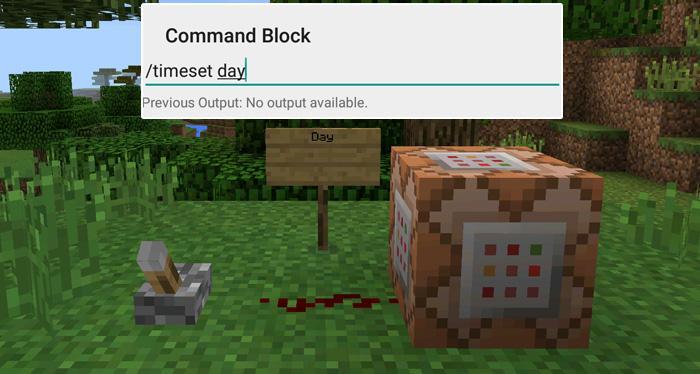
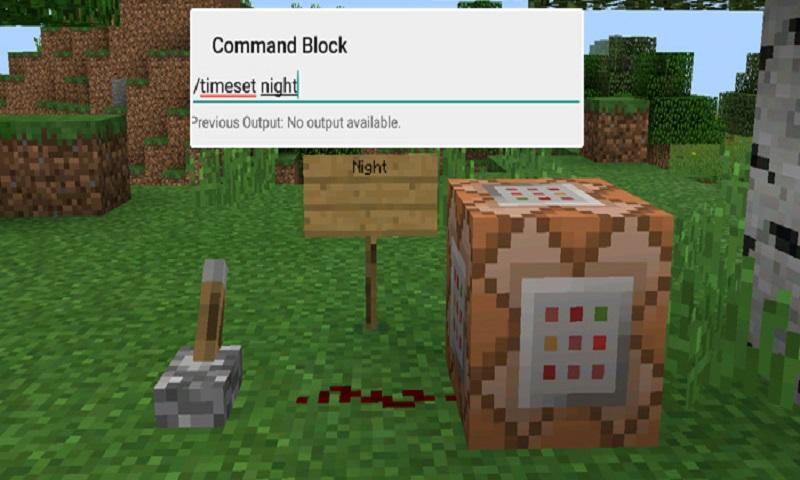
In this example we will be using the commands available in the X-Commands mod to explain how you can use redstone and the Command Block to switch time between day and night.
Begin by placing down the first Command Block which will be used for activating night-time. Tap on the block to set the command to use. Here you can also enter JavaScript, e.g.: javascript: Level.setRainLevel(1); – this would turn on rain
Then place down the second Command Block and let’s set it to execute the day command.
Now use the levers to trigger the redstone signal. The redstone signal will then transmit power to the Command Block which will in return execute the command it is setup to execute.
Informasi PERMAINAN tambahan
Versi Terbaru
1.0Diunggah oleh
陈先进
Perlu Android versi
Android 4.0.3+
Kategori
Gratis Petualangan PERMAINANRating konten
Everyone
Apa yang baru dalam versi terbaru 1.0
Last updated on Sep 29, 2016
Versi ini berisi perbaikan bug kecil dan peningkatan umum. Update ke versi terbaru untuk mendapatkan pengalaman terbaik.
Command Blocks Mod for MCPE Tangkapan layar

Versi lama Command Blocks Mod for MCPE
10.3 MBSep 29, 2016



![The Exorcist[Story of School] APK](https://image.winudf.com/v2/image/Y29tLnRhYm9tLnByb2plY3RzY2hvb2x1c19pY29uX3E3NDhkaGhm/icon.png?w=102&fakeurl=1)