




دربارهی Command Blocks Mod for MCPE
The Command Block (ID 137) can be obtained by using the creative inventory.
The Command Block (ID 137) can be obtained by using the creative inventory. It’s a block which when triggered by a redstone signal can execute both javascript and custom mod commands.
In this example we will be using the commands available in the X-Commands mod to explain how you can use redstone and the Command Block to switch time between day and night.
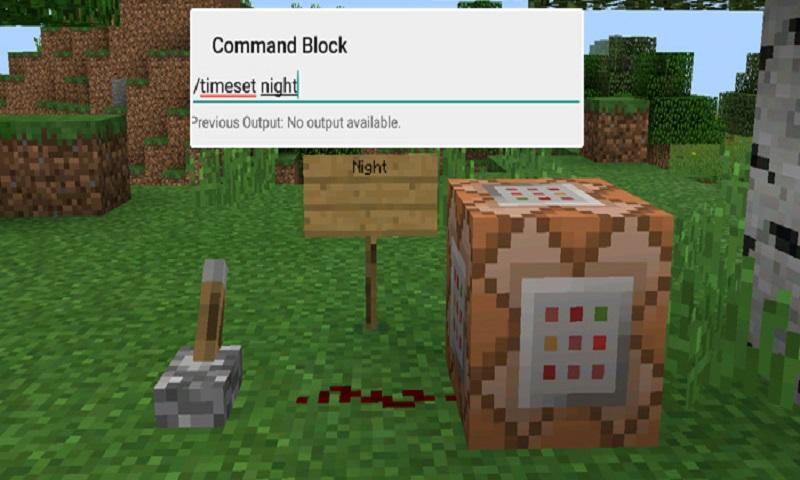
Begin by placing down the first Command Block which will be used for activating night-time. Tap on the block to set the command to use. Here you can also enter JavaScript, e.g.: javascript: Level.setRainLevel(1); – this would turn on rain
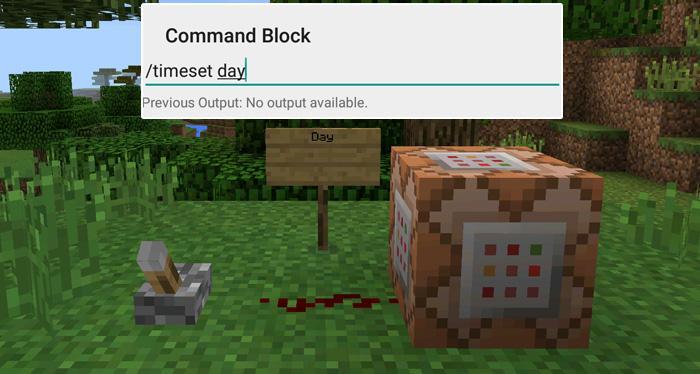
Then place down the second Command Block and let’s set it to execute the day command.
Now use the levers to trigger the redstone signal. The redstone signal will then transmit power to the Command Block which will in return execute the command it is setup to execute.
اطلاعات تکمیلی بازی
آخرین نسخه
1.0بارگذاری شده توسط
陈先进
نیاز به اندروید
Android 4.0.3+
دسته بندی
رایگان بازی ماجراجوییرتبهبندی محتوا
Everyone
گزارش
گزارش محتوای نامناسبجدیدترین چیست در نسخهی 1.0
Last updated on 29/09/2016
این نسخه شامل رفع اشکالات جزئی و بهبودهای عمومی است. برای بهترین تجربه، برنامه را به جدیدترین نسخه به
Command Blocks Mod for MCPE اسکرین شات ها


برچسب های مرتبط


![APK The Exorcist[Story of School]](https://image.winudf.com/v2/image/Y29tLnRhYm9tLnByb2plY3RzY2hvb2x1c19pY29uX3E3NDhkaGhm/icon.png?w=102&fakeurl=1)















برای Command Blocks Mod for MCPE نظر بدهید
افزودن نظرات