




Oписание Command Blocks Mod for MCPE
The Command Block (ID 137) can be obtained by using the creative inventory.
The Command Block (ID 137) can be obtained by using the creative inventory. It’s a block which when triggered by a redstone signal can execute both javascript and custom mod commands.
In this example we will be using the commands available in the X-Commands mod to explain how you can use redstone and the Command Block to switch time between day and night.
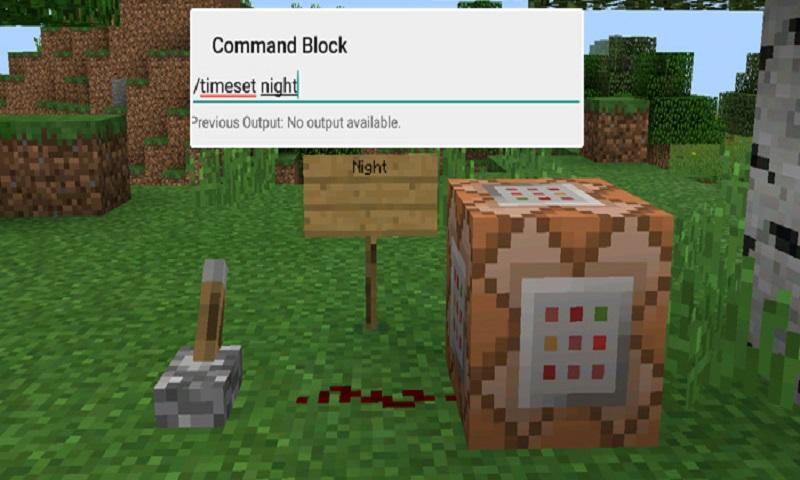
Begin by placing down the first Command Block which will be used for activating night-time. Tap on the block to set the command to use. Here you can also enter JavaScript, e.g.: javascript: Level.setRainLevel(1); – this would turn on rain
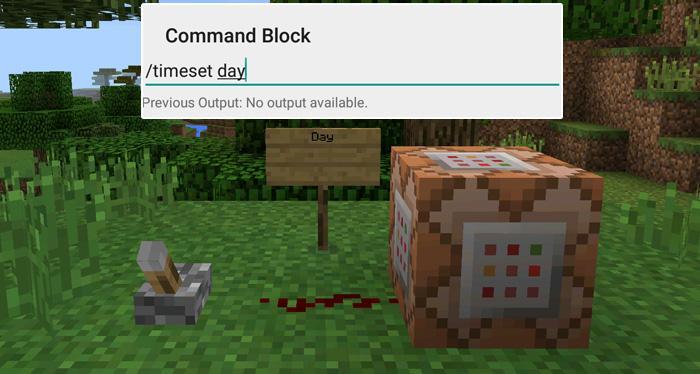
Then place down the second Command Block and let’s set it to execute the day command.
Now use the levers to trigger the redstone signal. The redstone signal will then transmit power to the Command Block which will in return execute the command it is setup to execute.
Дополнительная информация о Игры
Последняя версия
1.0Загрузил
陈先进
Требуемая версия Android
Android 4.0.3+
Категория
Бесплатно Приключения ИГРАВозрастные ограничения
Everyone
Жаловаться
Сообщить о неприемлемом содержанииЧто нового в последней версии 1.0
Last updated on 29/09/2016
В этой версии исправлены мелкие ошибки и внесены общие улучшения. Обновите приложение до последней версии для максимального удобства.
Command Blocks Mod for MCPE Скриншоты


Связанные маркеры


![The Exorcist[Story of School] APK](https://image.winudf.com/v2/image/Y29tLnRhYm9tLnByb2plY3RzY2hvb2x1c19pY29uX3E3NDhkaGhm/icon.png?w=102&fakeurl=1)















Оставить отзыв о Command Blocks Mod for MCPE
Добавить Отзывы