




O Command Blocks Mod for MCPE
The Command Block (ID 137) can be obtained by using the creative inventory.
The Command Block (ID 137) can be obtained by using the creative inventory. It’s a block which when triggered by a redstone signal can execute both javascript and custom mod commands.
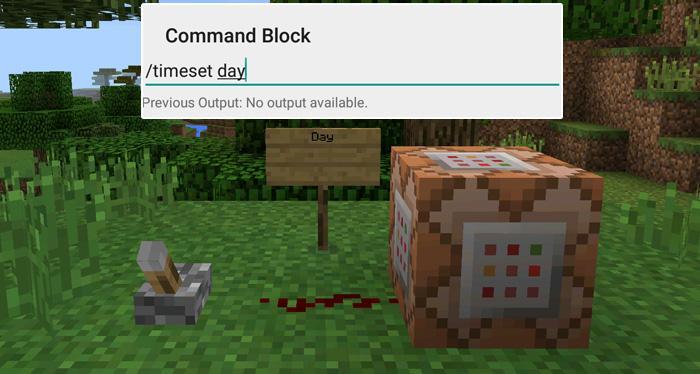
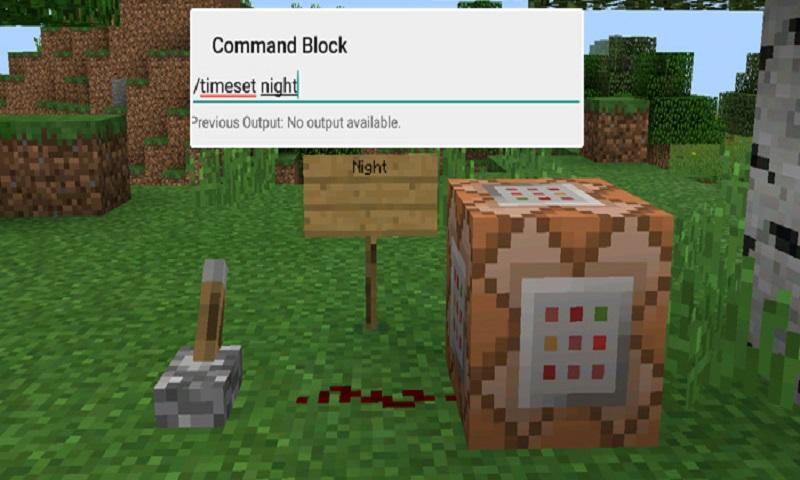
In this example we will be using the commands available in the X-Commands mod to explain how you can use redstone and the Command Block to switch time between day and night.
Begin by placing down the first Command Block which will be used for activating night-time. Tap on the block to set the command to use. Here you can also enter JavaScript, e.g.: javascript: Level.setRainLevel(1); – this would turn on rain
Then place down the second Command Block and let’s set it to execute the day command.
Now use the levers to trigger the redstone signal. The redstone signal will then transmit power to the Command Block which will in return execute the command it is setup to execute.
Dodatkowe informacje GRA
Ostatnia Wersja
1.0Przesłane przez
陈先进
Wymaga Androida
Android 4.0.3+
Kategoria
Darmowe Przygodowe GRAOcena treści
Everyone
Co nowego w najnowszej wersji 1.0
Last updated on Sep 29, 2016
Ta wersja zawiera drobne poprawki błędów i ogólne ulepszenia. Zaktualizuj ją, aby uzyskać najlepsze wrażenia.
Command Blocks Mod for MCPE Zrzuty ekranu


Powiązane Tagi


![The Exorcist[Story of School] aplikacja](https://image.winudf.com/v2/image/Y29tLnRhYm9tLnByb2plY3RzY2hvb2x1c19pY29uX3E3NDhkaGhm/icon.png?w=102&fakeurl=1)
















Zostaw recenzję dla Command Blocks Mod for MCPE
Dodaj recenzje