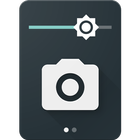

About Camera Quick Settings Tile
Take a photo from your Quick Settings Panel!
Camera Quick Settings Tile allows you to quickly take a photo right from your Quick Settings!
Open the Quick Settings Panel, tap on edit and drag the tile from the bottom into the active area.
The app requests permissions for your camera to take the photo and for your external storage to save the image.
App Icon and UI by Adam Lapinski: http://www.yeti-designs.com/
Additional APP Information
Latest Version
1.1.1Requires Android
Varies with device
Category
Free Photography AppContent Rating
Everyone
Report
Flag as inappropriateWhat's New in the Latest Version 1.1.1
Last updated on Jan 20, 2017
This release includes minor bug fixes and general improvements. Update to the latest version for the best experience.
Camera Quick Settings Tile Screenshots