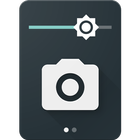

Mengenai Camera Quick Settings Tile
Take a photo from your Quick Settings Panel!
Camera Quick Settings Tile allows you to quickly take a photo right from your Quick Settings!
Open the Quick Settings Panel, tap on edit and drag the tile from the bottom into the active area.
The app requests permissions for your camera to take the photo and for your external storage to save the image.
App Icon and UI by Adam Lapinski: http://www.yeti-designs.com/
Maklumat APLIKASI tambahan
Versi Terbaru
1.1.1Memerlukan Android
Varies with device
Category
PERCUMA Fotografi APLIKASIPenilaian Kandungan
Everyone
Laporkan
Tandai sebagai tidak sesuaiApa yang baru dalam versi terkini 1.1.1
Last updated on Jan 20, 2017
Versi ini mengandungi pembaikan pepijat kecil dan penambahbaikan umum. Kemas kini kepada versi terkini untuk pengalaman terbaik.
Camera Quick Settings Tile Tangkapan skrin