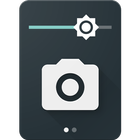

關於Camera Quick Settings Tile
Take a photo from your Quick Settings Panel!
Camera Quick Settings Tile allows you to quickly take a photo right from your Quick Settings!
Open the Quick Settings Panel, tap on edit and drag the tile from the bottom into the active area.
The app requests permissions for your camera to take the photo and for your external storage to save the image.
App Icon and UI by Adam Lapinski: http://www.yeti-designs.com/
最新版本1.1.1更新日誌
Last updated on 2017年01月20日
此版本包含小幅錯誤修正和一般改善。請更新至最新版本,以獲得最佳體驗。
Camera Quick Settings Tile 螢幕截圖