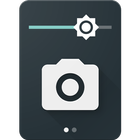

Camera Quick Settings Tile 정보
Take a photo from your Quick Settings Panel!
Camera Quick Settings Tile allows you to quickly take a photo right from your Quick Settings!
Open the Quick Settings Panel, tap on edit and drag the tile from the bottom into the active area.
The app requests permissions for your camera to take the photo and for your external storage to save the image.
App Icon and UI by Adam Lapinski: http://www.yeti-designs.com/
추가 앱 정보
최신 버전 1.1.1의 새로운 기능
Last updated on Jan 20, 2017
이 버전에는 사소한 버그 수정과 전반적인 개선 사항이 포함되어 있습니다. 최상의 환경을 위해 최신 버전으로 업데이트하세요.
Camera Quick Settings Tile 스크린 샷