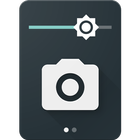

Camera Quick Settings Tile hakkında
Take a photo from your Quick Settings Panel!
Camera Quick Settings Tile allows you to quickly take a photo right from your Quick Settings!
Open the Quick Settings Panel, tap on edit and drag the tile from the bottom into the active area.
The app requests permissions for your camera to take the photo and for your external storage to save the image.
App Icon and UI by Adam Lapinski: http://www.yeti-designs.com/
Ek UYGULAMA Bilgileri
En Son Sürüm
1.1.1Gereken Android sürümü
Varies with device
Kategori
Ücretsiz Fotoğrafçılık UYGULAMAİçerik derecelendirmesi
Everyone
Bildir
Uygunsuz olarak işaretleEn son sürümde yeni olan 1.1.1
Last updated on Jan 20, 2017
Bu sürümde küçük hata düzeltmeleri ve genel iyileştirmeler bulunur. En iyi deneyim için en yeni sürüme güncelleyin.
Camera Quick Settings Tile Ekran görüntüleri