
Giới thiệu về TheQuickLock
TheQuickLock Quản lý SafeTech Padlock của bạn với truy cập nhanh chóng và dễ dàng.
Your QuickLock Padlock has RF (Radio Frequency) capabilities that can be enabled with a tag, ring, bracelet, fob or card. This App only executes the Bluetooth aspects of your padlock while allowing you to see which person/method recently opened your security device. Once the App is installed and open on your hand held device, follow these instructions:
1. Depress the black button on the face of the Padlock, a blue light will flash.
2. Simultaneously, your Android will work to pair with the Padlock. This first time, you’ll be prompted to enter an initial password which is – 12345678.
3. The display will show the ‘lock – unlock’ button on your display. From the page, user is able to unlock and/or designate the auto unlock for each time the app is used and the black button on the Padlock is depressed.
4. Depress the settings COG in the bottom right-hand corner to alter password, change user, etc.
Security access and inventory management application
Thông tin thêm Ứng dụng
Phiên bản mới nhất
2.2.1.9Được tải lên bởi
Antonio Linares
Yêu cầu Android
Android 4.3+
Danh mục
Miễn phí Công cụ ỨNG DỤNGXếp hạng nội dung
Everyone
Báo cáo
Gắn cờ là không phù hợpCó gì mới trong phiên bản mới nhất 2.2.1.9
Last updated on Mar 6, 2017
Increase the end-user license agreement
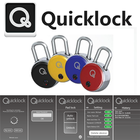
TheQuickLock Ảnh chụp màn hình