
關於VNC Client Free
你的大屏幕上你的口袋裡的屏幕上。任何地方。
Your big screen on your pocket screen. Anywhere.
VNC Client allows you to connect to any computer (Windows, Mac or Linux) using your Android phone or tablet. The app uses Virtual Network Computing (VNC) to connect to any computer that has an VNC server installed and running.
EASY TO USE:
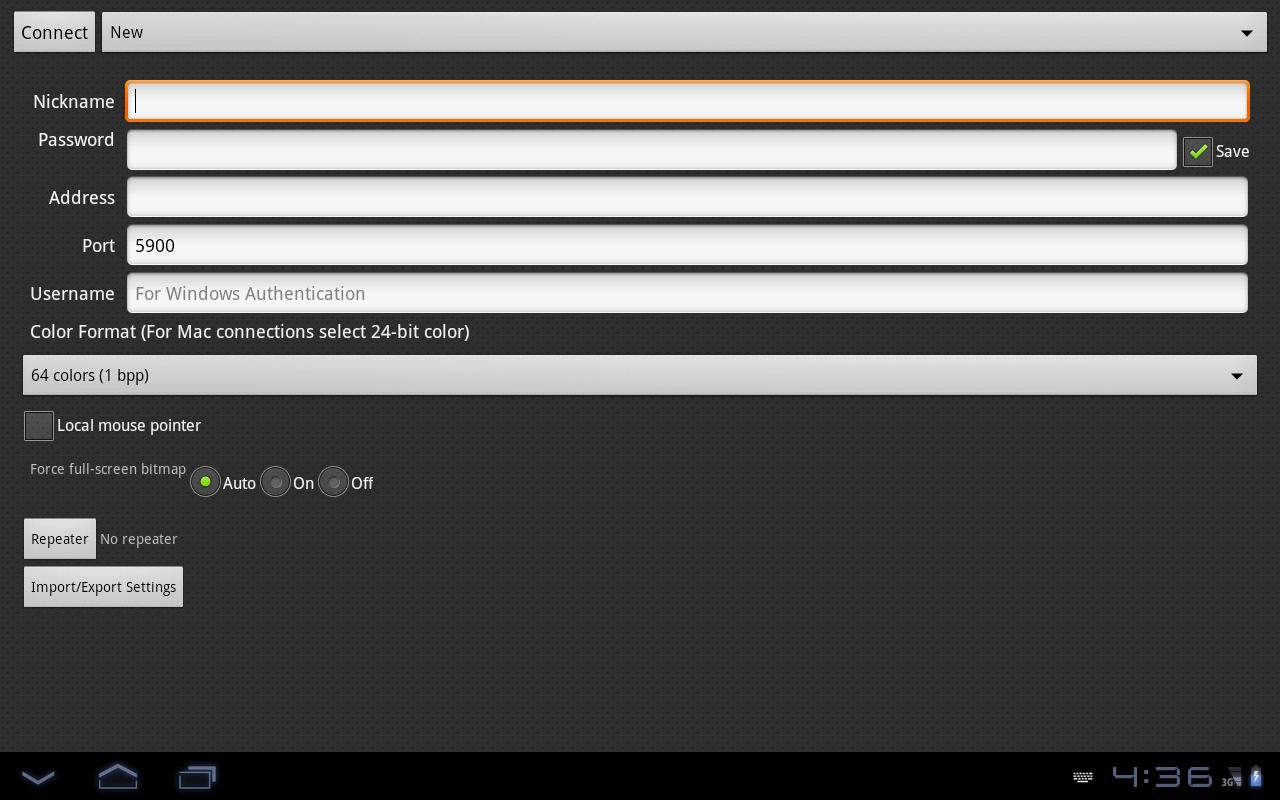
To start using VNC Client enter a Nickname for the connection, enter the Password, IP address and port (default is 5900) and click Connect.
Be aware that lower spec phones tend to work slow when you connect to high resolution computers.
更多應用信息
最新版本1.0.0更新日誌
Last updated on 2015年08月29日
此版本包含小幅錯誤修正和一般改善。請更新至最新版本,以獲得最佳體驗。
VNC Client Free 螢幕截圖



VNC Client Free歷史版本
383.1 KB2015年08月29日