
關於Multicon Widget
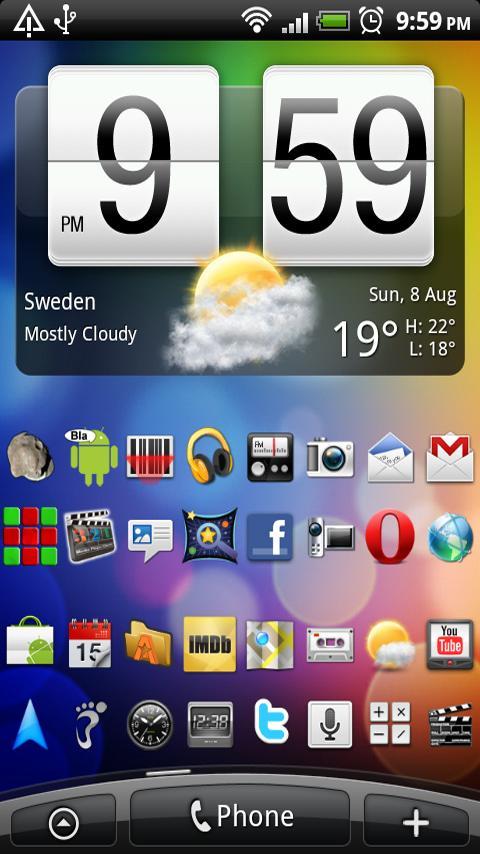
More space, less mess. Clean up your homescreen or add more shortcuts.
No fees, no ads!
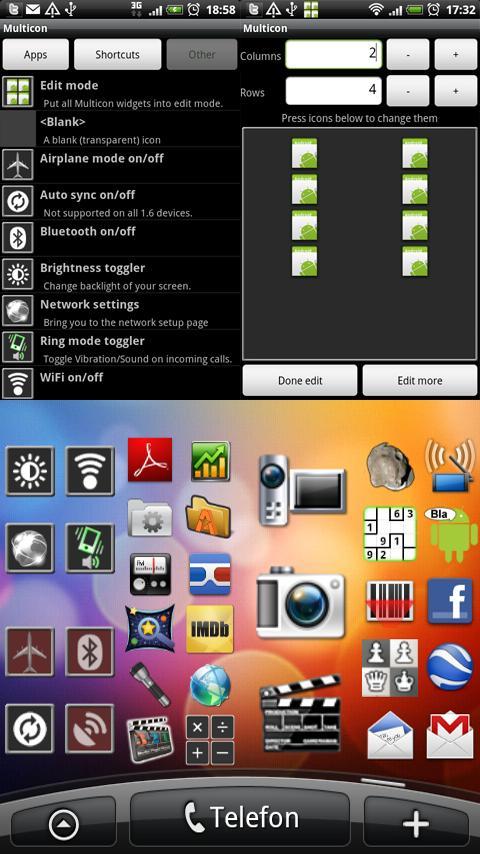
Save space on your homescreen with this free widget. Use it to clean up or add more applications. It will let you put more then one shortcut in the same space as one icon normally takes up.
You can add applications, shortcuts and some special functions.
*Important*:
To add a Multicon widget on your homescreen, press any blank or empty area and hold down your finger. An "Add to Home screen" window will pop up, from that window, select Widgets. (Full instructions is included, please read if you are unsure how to use this program.)
All permission are used by the special function buttons under "Other".
更多應用信息
最新版本1.6.2更新日誌
Last updated on 2015年07月05日
此版本包含小幅錯誤修正和一般改善。請更新至最新版本,以獲得最佳體驗。
Multicon Widget 螢幕截圖
Multicon Widget歷史版本
155.0 KB2015年07月05日