
關於StmFlasher
輕鬆快速地更新STM32芯片組。
How to use application
PREREQUISITE:You mobile device must support USB-OTG.
1. In general you should set pins BOOT0 and BOOT1 in correct combination according to model of your CPU.
2.Hold the Boot0 button and connect the device using an OTG cable.
Functions:
- Get chipset info
- Erase memory
- Write firmware
- Load firmware
Supported firmware file format:
- Binary (.bin)
- Intel Hex (.hex)
- Device Firmware Upgrade(.dfu)
最新版本1.0更新日誌
Last updated on 2021年02月16日
Update the STM32 chipset easily and quickly
How to use application
PREREQUISITE:You mobile device must support USB-OTG.
1. In general you should set pins BOOT0 and BOOT1 in correct combination according to model of your CPU.
2.Hold the Boot0 button and connect the device using an OTG cable.
Functions:
- Get chipset info
- Erase memory
- Write firmware
- Load firmware
Supported firmware file format:
- Binary (.bin)
- Intel Hex (.hex)
- Device Firmware Upgrade(.dfu)
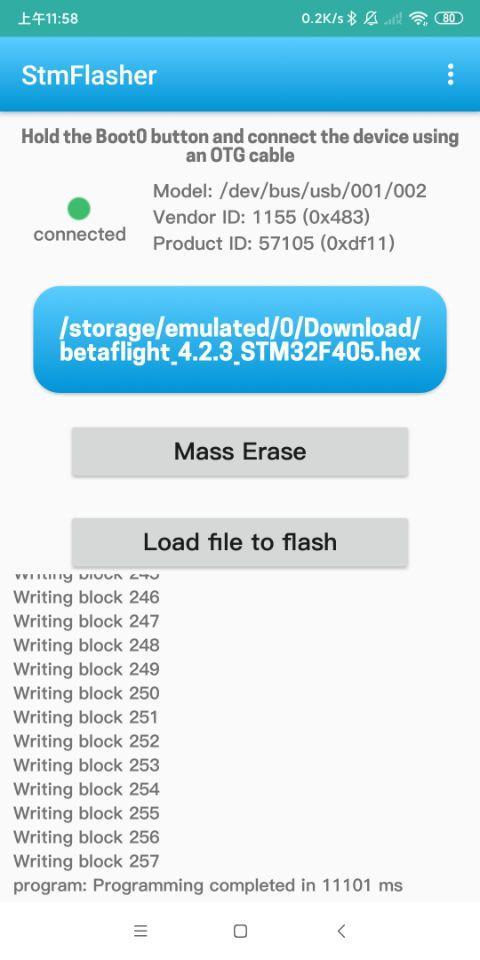
StmFlasher 螢幕截圖


StmFlasher歷史版本
9.9 MB2021年02月16日