
About StmFlasher
Update the STM32 chipset easily and quickly.
How to use application
PREREQUISITE:You mobile device must support USB-OTG.
1. In general you should set pins BOOT0 and BOOT1 in correct combination according to model of your CPU.
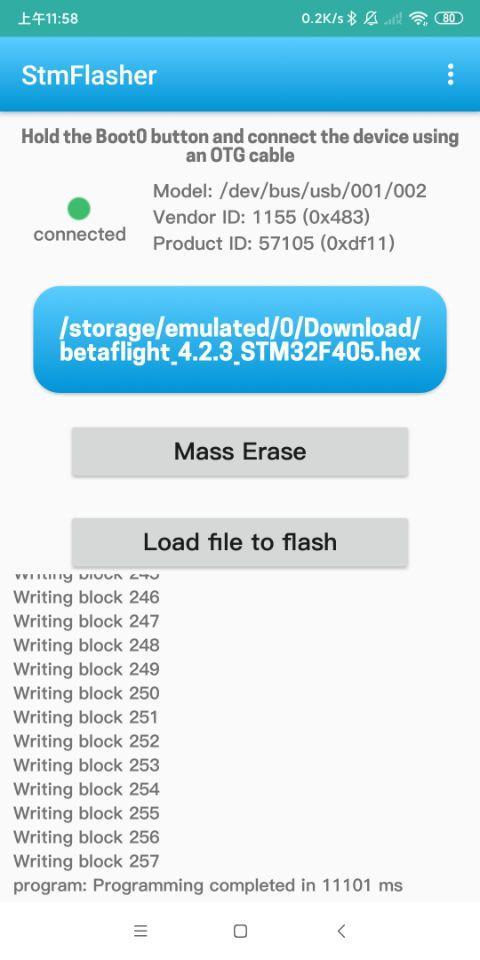
2.Hold the Boot0 button and connect the device using an OTG cable.
Functions:
- Get chipset info
- Erase memory
- Write firmware
- Load firmware
Supported firmware file format:
- Binary (.bin)
- Intel Hex (.hex)
- Device Firmware Upgrade(.dfu)
Additional APP Information
Latest Version
1.0Uploaded by
ปีเตอร์' รสกล้วยยย
Requires Android
Android 6.0+
Category
Free Tools AppContent Rating
Everyone
Report
Flag as inappropriateWhat's New in the Latest Version 1.0
Last updated on Feb 15, 2021
Update the STM32 chipset easily and quickly
How to use application
PREREQUISITE:You mobile device must support USB-OTG.
1. In general you should set pins BOOT0 and BOOT1 in correct combination according to model of your CPU.
2.Hold the Boot0 button and connect the device using an OTG cable.
Functions:
- Get chipset info
- Erase memory
- Write firmware
- Load firmware
Supported firmware file format:
- Binary (.bin)
- Intel Hex (.hex)
- Device Firmware Upgrade(.dfu)
StmFlasher Screenshots


Old Versions of StmFlasher
9.9 MBFeb 15, 2021