

關於Data Backup
備份和恢復您的聯繫人,通話記錄和信息。
When you open the app for the first time a dialog will appear asking for subscription payment. it costs 2 birr per month to subscribe.
To Backup your contacts, call logs and messages
1) Select Backup from the tab on top of the screen
2) Choose what to backup by selecting any of the three images (Contact,SMS,calllogs). the blue color indicates the type you chosen. You can choose all buttons to backup all of them at once.
3) Press 'start backup' button
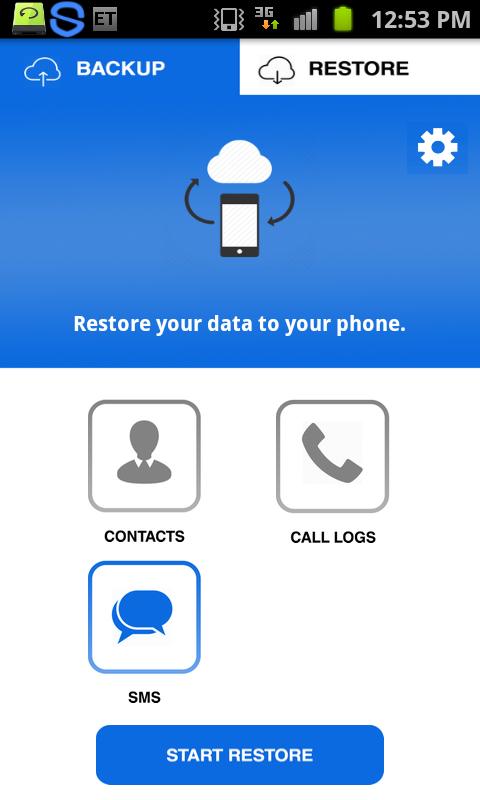
To Restore your contacts, call logs and messages
1) Select Restore from the tab on top of the screen
2) Choose what to restore by selecting any of the three images (Contact,SMS,calllogs). the blue color indicates the type you chosen. You can choose all buttons to backup all of them at once.
3) Press 'start restore' button
The app will take payment from your phone account balance.
For Android 4.1 and later
To restore your messages the app will ask you to make it the default SMS app. so as soon as the restoration is completed, you will be prompted to return to the default SMS app.
最新版本1.2更新日誌
Last updated on 2017年03月04日
此版本包含小幅錯誤修正和一般改善。請更新至最新版本,以獲得最佳體驗。
Data Backup 螢幕截圖


Data Backup歷史版本
5.9 MB2017年03月04日