

Data Backup 정보
Backup and restore your contacts, call logs and messages.
When you open the app for the first time a dialog will appear asking for subscription payment. it costs 2 birr per month to subscribe.
To Backup your contacts, call logs and messages
1) Select Backup from the tab on top of the screen
2) Choose what to backup by selecting any of the three images (Contact,SMS,calllogs). the blue color indicates the type you chosen. You can choose all buttons to backup all of them at once.
3) Press 'start backup' button
To Restore your contacts, call logs and messages
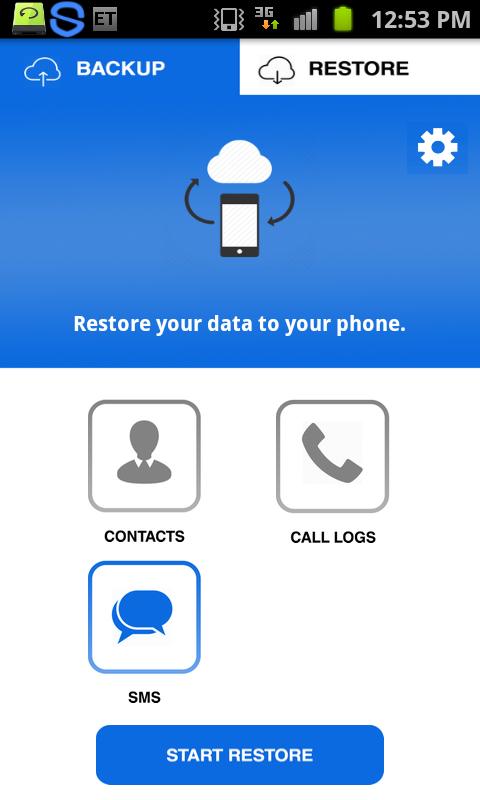
1) Select Restore from the tab on top of the screen
2) Choose what to restore by selecting any of the three images (Contact,SMS,calllogs). the blue color indicates the type you chosen. You can choose all buttons to backup all of them at once.
3) Press 'start restore' button
The app will take payment from your phone account balance.
For Android 4.1 and later
To restore your messages the app will ask you to make it the default SMS app. so as soon as the restoration is completed, you will be prompted to return to the default SMS app.
추가 앱 정보
최신 버전 1.2의 새로운 기능
Last updated on Mar 4, 2017
이 버전에는 사소한 버그 수정과 전반적인 개선 사항이 포함되어 있습니다. 최상의 환경을 위해 최신 버전으로 업데이트하세요.
Data Backup 스크린 샷


Data Backup의 오래된 버전
5.9 MBMar 4, 2017