OBDocker is for drivers who want clear information about their car before a shop visit or a long trip. It connects to a compatible OBD adapter to read key systems and present current information, so you can see what the vehicle reports. The app supports many brands and offers a free trial with optional subscriptions. Results depend on what your electronic control units provide. If you prefer a simple setup, you can download OBDocker and begin with basic checks at your own pace.
OBDocker Features
Diagnostics modes
- Full systems scan: One tap checks available modules for stored and pending trouble codes.
- Multi systems scan: Filter ECUs to focus on areas like SRS, ABS, TCM, BCM and more.
- Quick scan: Read and clear engine fault codes to keep the drive smooth.
Live data monitors
- Health monitor shows real time parameters across systems for a quick status view.
- Engine monitor focuses on performance related values.
- Dash monitor visualizes key metrics while you drive.
Service and maintenance tools
- Emissions precheck helps you test before an official inspection.
- Control tests include EVAP leak test, DPF functions and inducement system reinitialization.
- Oil reset clears service reminders after maintenance.
- Battery registration records a replacement for the battery management system.
Adapter and vehicle support
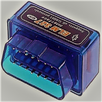
After installing the OBDocker APK, you pair a compatible adapter and select your vehicle. Standard mode supports most OBD2 or EOBD vehicles worldwide. Advanced mode covers selected brands such as Toyota, Lexus, Nissan, Infiniti, Honda, Acura, Hyundai, Kia, Volkswagen, Audi, Skoda, Seat, Mercedes Benz, BMW, Mini, Porsche, Ford, Lincoln, Chevrolet, Cadillac, GMC and Buick. For best results, use reliable adapters like Vlinker, OBDLink, MotorSure, Carista, Veepeak or Vgate. Data availability depends on each vehicle ECU.
Get started with OBDocker
Confirm your adapter and vehicle compatibility, then run a quick scan to view essential information. Use the trial to explore service options and decide if a subscription fits your needs. Install the OBDocker latest version to maintain recent compatibility and functions.