Scan Date:Jun 27, 2026
Show More


CapCut helps users who post short videos for TikTok, Reels, YouTube, or status updates and need fast editing on a phone. It brings timeline control and smart tools into one place so you can cut, arrange, and prepare videos without switching apps. Whether you are making a quick post or a longer vlog, the interface supports both simple trims and more detailed edits. In regions where direct app access is limited, some users install the CapCut APK to get started.
Timeline control and speed ramping
CapCut offers precise editing on a multi track timeline, so you can trim, split, and merge clips with accuracy. You can freeze a moment for emphasis, then continue the motion smoothly. Speed controls range from 0.1x to 100x, and speed curves let you ramp up or slow down parts of a clip for more dynamic pacing.
Keyframes, slow motion, and background cleanup
When a cut needs movement, keyframes let you animate position, scale, and other properties from point to point. For slow motion shots, optical flow helps create smoother frames that avoid choppy playback. You can remove or replace backgrounds using chroma key or a one tap removal tool, and stabilization helps reduce shake on handheld footage.
AI captions, text to speech, and voice tools
CapCut can generate auto captions in multiple languages based on the dialogue in your video. If you prefer narration, text to speech renders on screen text as a voice track with natural pacing. Voice enhancement and noise reduction features help clean up audio so speech remains clear under music or ambient noise.
Templates, filters, and trending assets
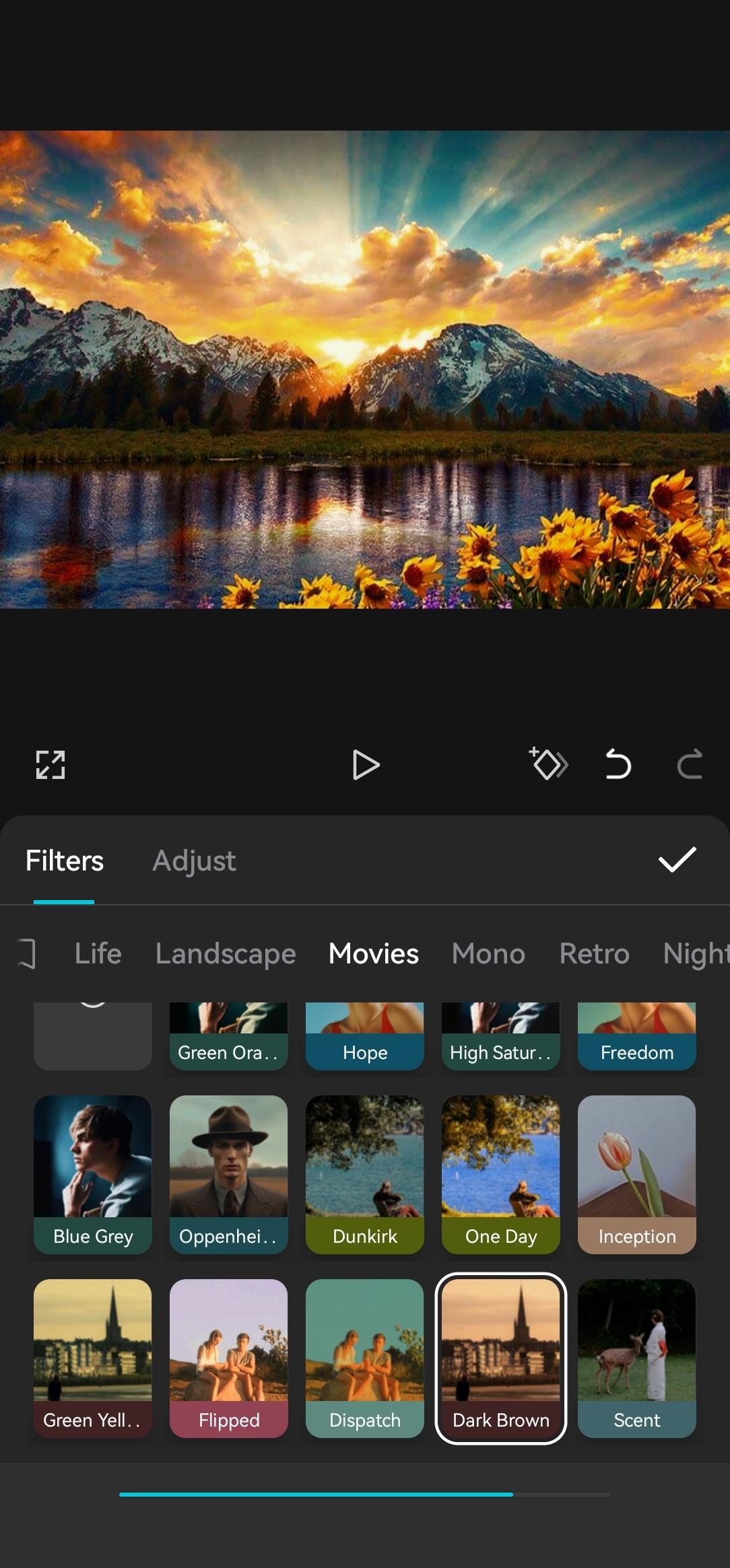
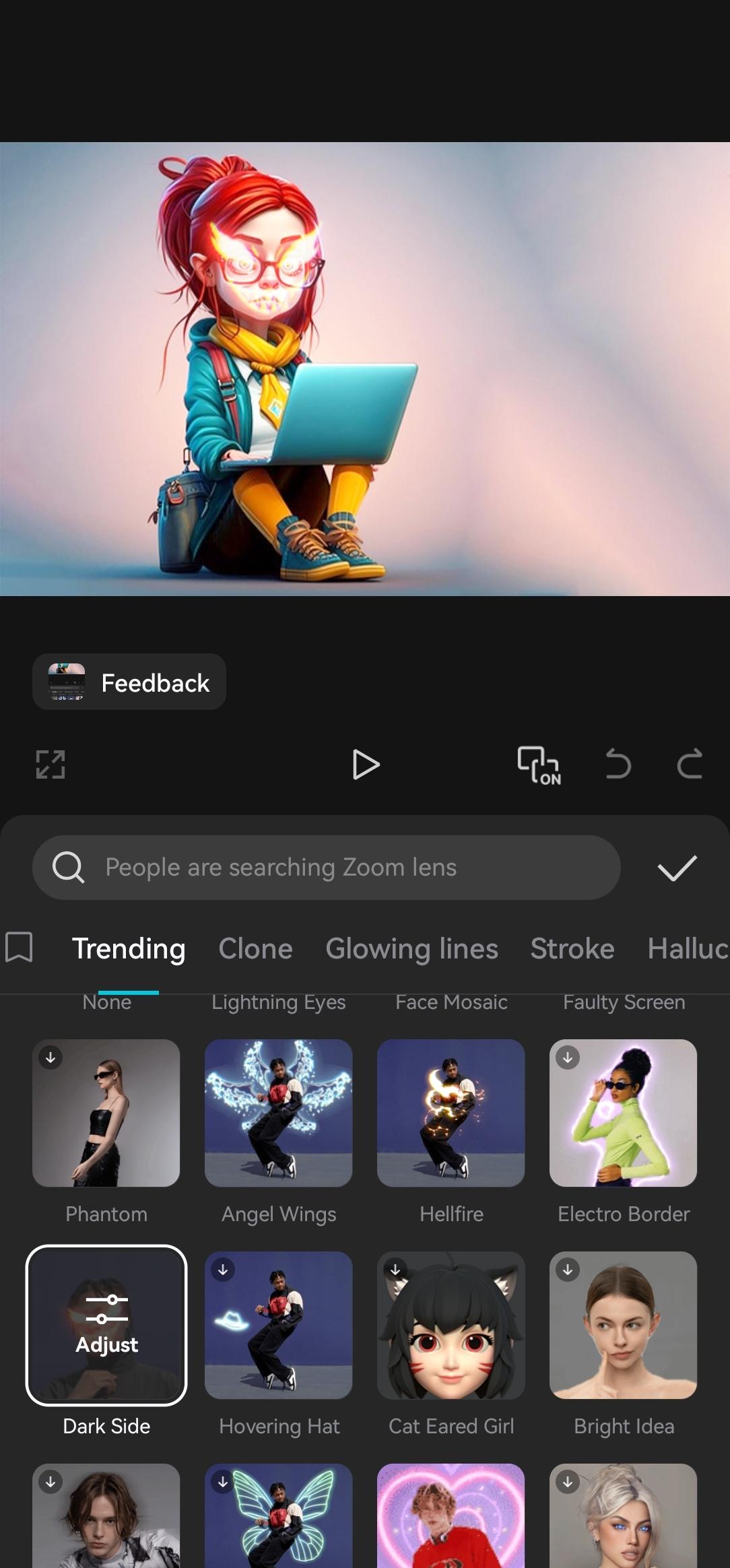
For quick starts, CapCut includes a large library of templates organized by style and use case. Effects and filters such as Glitch, Blur, and 3D are refreshed frequently so your edits can match current trends. You can add stickers and in app fonts to fit platform styles for Reels, Shorts, and TikTok without hunting for assets elsewhere.
Audio choices and high quality export
CapCut provides access to many music tracks and sound effects that can be synced to key moments. You can also extract audio from a video or import your own recordings to keep a consistent sound across clips. When the edit is ready, export in custom formats and resolutions up to 4K at 60 fps with Smart HDR where supported, then share directly to your social accounts.
Most core editing tools, a wide selection of templates, and standard exports are available for free in the CapCut app. CapCut Pro adds extra AI features and exclusive assets that may require a paid plan. Pro items are labeled in the asset and effects browser, so you can see what is included before applying them to a project.
Inside the template gallery, users can browse categories for Reels and Shorts, TikTok trending effects, and YouTube vlog styles. These curated sections help you start with pacing, aspect ratios, and transitions that suit each platform. You can swap in your own clips and adjust text or music to fit your channel or account.
Service availability and certain features can vary by country. In some regions, users install on Android through an APK file when regular listing access is limited. For the latest app information, feature availability, and regional guidance, refer to the official website listed below.
After you download CapCut and open the app, you can create an edit in a few steps. The workflow stays simple for quick posts while still supporting detailed adjustments when needed. Saving a project lets you return and update clips later.
Start a new project, then import videos and photos from your phone’s gallery. Arrange the clips in the order you want.
Trim and split clips on the timeline to tighten the story. If needed, change speed for sections and add a freeze frame to highlight a moment.
Add effects or filters, then use keyframes to animate movement or zooms across a clip. If the background needs replacing, apply chroma key or one tap removal.
Insert text and choose auto captions to transcribe speech. Add music or voiceover, then balance levels with voice enhancement or noise reduction if needed.
Preview the result, then export with your chosen resolution and frame rate. Share the file to your social apps directly from the export screen.
CapCut combines timeline editing, AI captioning and voice tools, templates, and high quality export for everyday video creation. Using the CapCut latest version helps keep effects, templates, and sharing options current. Users can install, edit, and publish from one place on Android.
For official information and Capcut updates news, use the resources below.
Official website: https://www.capcut.com/
Support email: capcut.support@bytedance.com
Latest Version
18.4.0Uploaded by
يوسف النمس
Requires Android
Android 6.0+
Category
Free Video Players & Editors AppContent Rating
Teen
Security Report
Report
Flag as inappropriateLast updated on Jun 26, 2026
"- Fixed some known issues - improved the trimming experience.
We thank you for supporting CapCut and look forward to creating beautiful moments together."



APKPure - A multi-platform app store primarily focused on Android, providing extensive app-related content. Discover the app you want easier, faster, and safer, with quick and efficient downloads and installations.