
Remote Desktop - Touchpad++ 정보
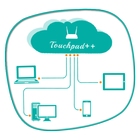
그것은 당신이 당신의 전화 / 태블릿 PC를 제어 할 수 있습니다.
Want to feel your normal PC screen to touch screen. Then Try Touchpad++. It will realize you are working with touch screen computer. It allows you to control your PC with your phone/tablet.
How to use?
Download Touchpad++ server setup for window PC : http://bit.ly/1jfpyHO
•Install program on Pc, then Run it as administrator.
•Make sure PC and Android phone are in the same network. You can use android phone as portable hotspot and connect to PC.
•Run app on Android phone, then input IP address of PC and click “connect”.
Thank you.
Hope you Enjoy it.
추가 앱 정보
최신 버전 1.1의 새로운 기능
Last updated on Jun 29, 2016
이 버전에는 사소한 버그 수정과 전반적인 개선 사항이 포함되어 있습니다. 최상의 환경을 위해 최신 버전으로 업데이트하세요.
Remote Desktop - Touchpad++ 스크린 샷


Remote Desktop - Touchpad++의 오래된 버전
11.2 MBJun 29, 2016