
About Developer Mode
Quickly Open Developer Settings By App or Its Widget.
For Android Developers, here is a simple and convenient shortcut to the Developer Options setting. Now you don't need to open Developers Option by multiple steps.
Just open the app, or use it's widget to quickly open Developers Option.
App: Simply Click the button to open the "Developers Option".
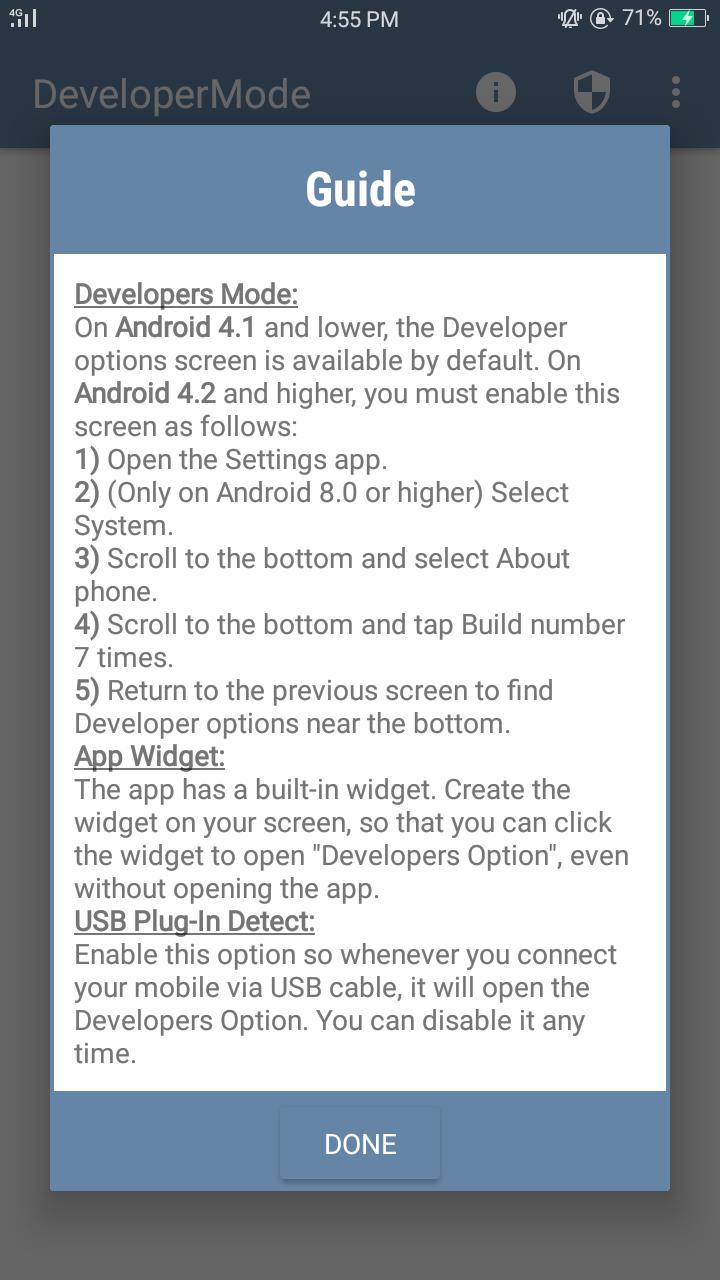
USB Plug-In Detect: Enable this option so whenever you connect your mobile via USB cable, it will open the Developers Option. You can disable it any time.
App Widget: The app has a built-in widget. Create the widget on your screen, so that you can click the widget to open "Developers Option", even without opening the app.
Light Weight: Very low in size, just 2MB.
Guide: Guide for "DeveloperOption" and "App Usage".
Additional APP Information
Latest Version
1.0.2Uploaded by
Tamii Leiiva
Requires Android
Android 4.3+
Category
Free Tools AppContent Rating
Everyone
Report
Flag as inappropriateWhat's New in the Latest Version 1.0.2
Last updated on Jul 25, 2019
Added guide about "Developer Mode" & "How to use".
Fixed crashes for some devices.
Developer Mode Screenshots




Old Versions of Developer Mode
2.2 MBJul 25, 2019