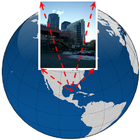

Giới thiệu về Sensor Fusion
Tích hợp Camera + GPS + INS
http://michelmorgan.wix.com/sensorfusion
Check the above link for:
step-by-step instructions
how to use the data for Pix4D software
Sample data and results
Sample videos
Process
********
1. Go Outdoor, wait for GPS signal
2. Click capture (Repeat as many as you want) or use Video mode
3. You data will be located in the following folder
Pictures\com.em.com.sensorfusion\main\
4. You backed up data will be located in the following folder
Pictures\com.em.com.sensorfusion\backup\
Additional Features:
********************
N.Video: Click + or - to change the number of photos in a video sequence
F.Video: Click + or - to change the frequency of photos in milliseconds for a video sequence
Video: check if you want to record a video (image sequence)
HighRes: check if you want the best resolution of your image.
Clean Cashe: If you are not happy with your images from previous session, delete them
Backup Cashe: If you are happy with your images from previous session, back them up
UpComing Features:
******************
Supporting Zoom in and out
More accurate sensors integration: GPS/Compass/Accelerometer/Magnetometer/Gyroscope/Camera
Do not forget to sent me feedback including problems, bugs, and suggestions
Enjoy!
Thông tin thêm Ứng dụng
Phiên bản mới nhất
2.0Được tải lên bởi
Tấn Tài
Yêu cầu Android
Android 5.0+
Danh mục
Miễn phí Nhiếp ảnh ỨNG DỤNGXếp hạng nội dung
Everyone
Báo cáo
Gắn cờ là không phù hợpCó gì mới trong phiên bản mới nhất 2.0
Last updated on Oct 6, 2017
Performance Improvements & Bug fixes
Sensor Fusion Ảnh chụp màn hình