Giới thiệu về LED Editor
thiết lập ghép nối giữa điện thoại di động và màn bluetooth.
1.before data transfer, phone and Bluetooth screen needs to be paired
setting, you needn’t to pair them again after pairing succeed.
2. open power of the Bluetooth display , will be displayed the name
of the display as "LED38615", please remember this name and has some
impressions.
3. open "Settings" of phone, find the "Bluetooth Settings"
Double-click the "Bluetooth Settings" and then select "Search Device"
the name of Led will be found in the Bluetooth display At this time,
such as "LED56389", Click the name of Bluetooth, and then input the
pair password(1234), and click OK which finished the pairing Bluetooth
(phone and Bluetooth display)
Note 1: the pairing (phone& Bluetooth display) is the similar as paring between Bluetooth phone. Like we send the document by Bluetooth between two phone. Of course, once Bluetooth pairing , different phone and screen, it will be have a little different, the above steps only for your reference.
Note 2: You can also do pairing by touching “New paired” button in software "LED Editor", “New paired” button is sub button under the “send” button in Main Interface of LED Editor.
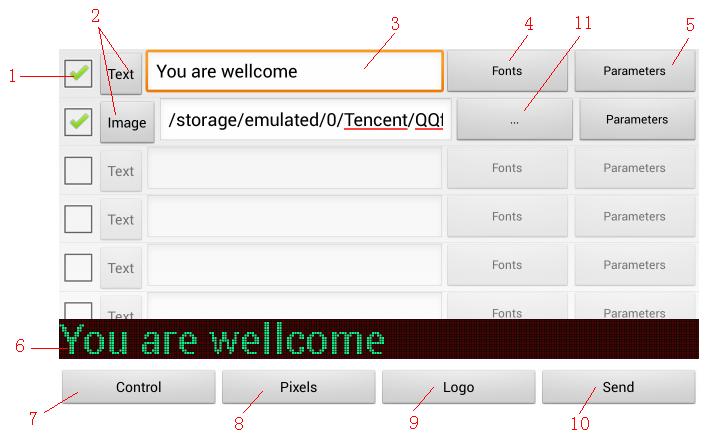
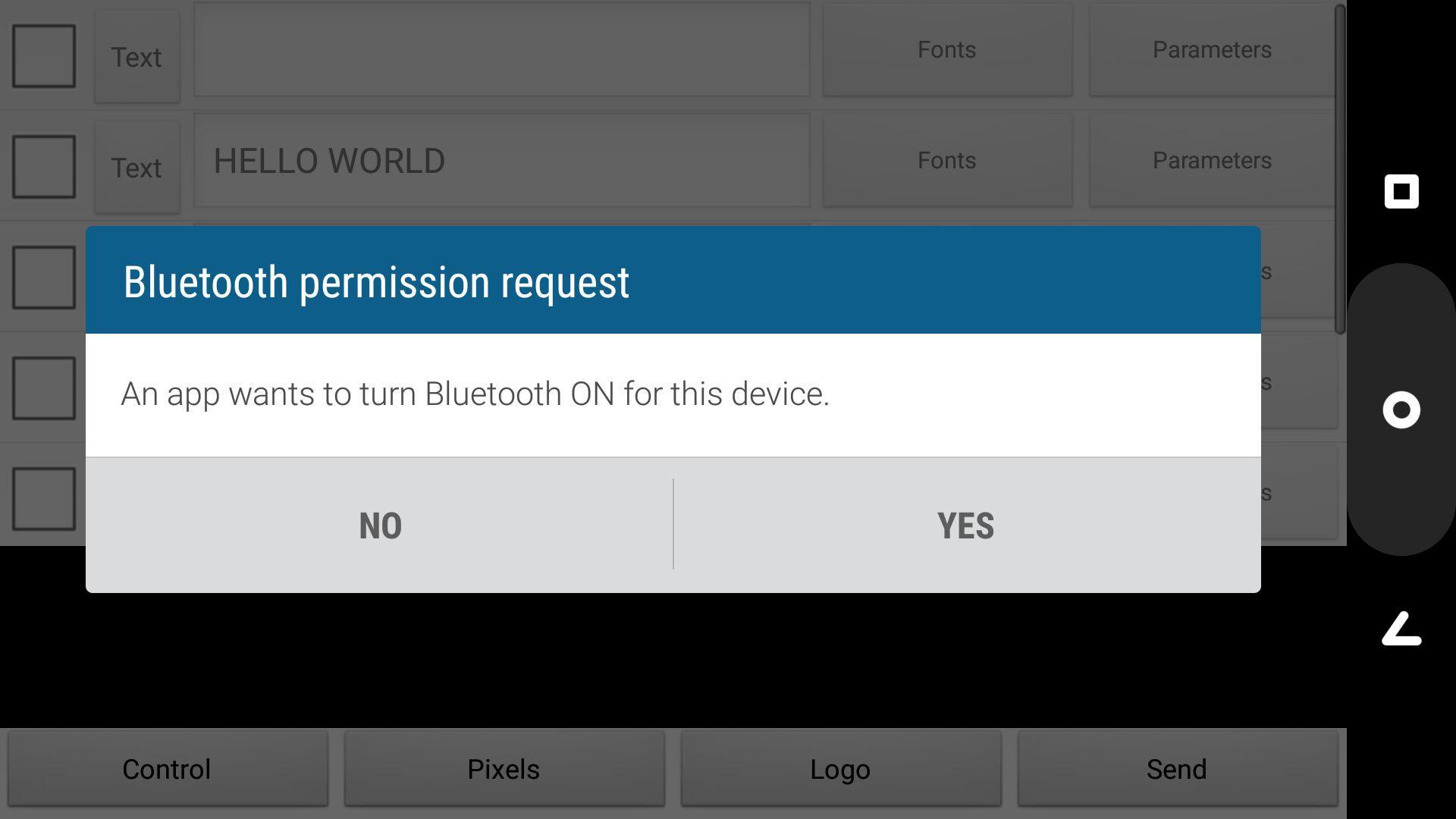
when open "LED Editor" on the phone, it will appear the above interface.
1. select: it used to decide whether the message be send or not. check the box, it regards as edit to send these message. it will have 8 message for choose. it can choose one or more message send to bluetooth led display.
2. Type: select the type of the message , there are two choice : Text or Picture.
3. Content: When the message type is "text", it will shown the input interface and input character in Multi-language , When the message type is " Picture" The area appear storage path of image.
4. fonts: When the type of message is "text", click this button to select the font type and font size
5. parameters: Click the button, the message will appear effect parameter configuration: effect (about moving, static, snow, etc.), time (play speed, eight optional), flashing marquees
6. Preview: used to display the contents of selected currently, it is the preview artwork before sending. it is subject to the artwork of preview for content of led display
7. Control: adjust brightness (five brightness levels for choose); select message to display(message 1 ~ 8); Timing(set time of LED same as the time of mobile phone)
8. Pixels: choose the corresponding pixel according the height of led display, there are two kind of 12 pixel and 16 pixel for choose.
9. trademark: can be used trademark through text or picture of company. LOG..
10. send: when you choose the message and insert the content which you need to send, and then click this button and to send the message to display on the screen by paired bluetooth screen.
11. path: when the type is " picture" , and click the button to select the picture file, the picture support "bmp format" , the height choose 12 pixel or 16 pixel.
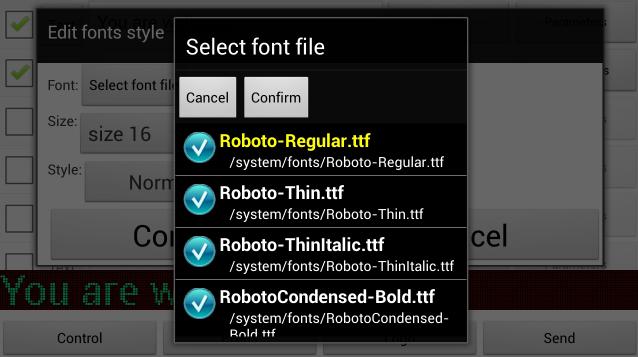
Font selection:1. Click the font selection, slide your finger up and down on the touch, it can browse all selectable fonts installed in phone system.
2. highlighted in yellow font, it is the corresponding font of the message.
3. after change the font, you will see the corresponding effect of the font in the preview windows of background main interface.
4. when you choose the font as your satisfaction, push "confirm" to save, you can push " cancel" once you give up the font.
5. if you have not find the font you like, you can achieved ROOT right of android to download more font.
Thông tin thêm Ứng dụng
Phiên bản mới nhất
1.03 BĐược tải lên bởi
Nattabhat Phangsri
Yêu cầu Android
Android 2.2+
Danh mục
Miễn phí Cá nhân hóa ỨNG DỤNGXếp hạng nội dung
Everyone
Báo cáo
Gắn cờ là không phù hợpCó gì mới trong phiên bản mới nhất 1.03 B
Last updated on Jun 10, 2017
Phiên bản này bao gồm các bản sửa lỗi nhỏ và cải tiến chung. Hãy cập nhật lên phiên bản mới nhất để có trải nghiệm tốt nhất.
LED Editor Ảnh chụp màn hình


Phiên bản cũ của LED Editor
489.9 KBJun 10, 2017