
Giới thiệu về float window notepad adversion
Enjoy millions of the latest Android apps, games, music, movies, TV, books, magazines & more. Anytime, anywhere, across your devices.
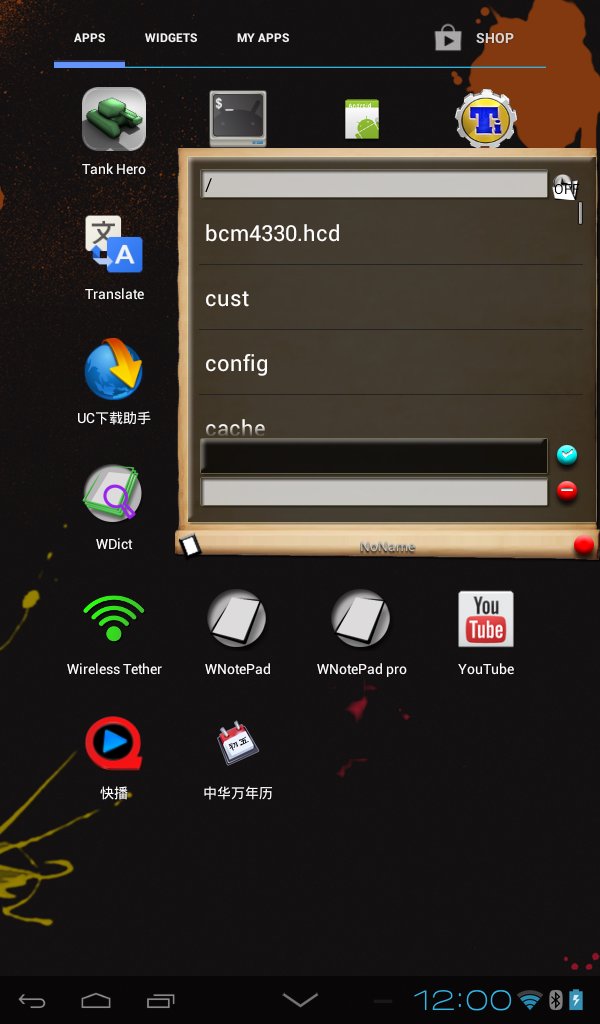
The ad of WPad with basic file dialog function
text selection function tips:
simply move the cursor to the start of the selection, long press the text area(or the first icon button in the edit menu), then move the cursor to the end of the selection, then long press the text area(or the first icon button in the edit menu), you can get the text selected. if you long press the text area (or the first icon button in the edit menu) again you can select all the text. when you select the text the number of text you selected will show in the toast.
Instructions: http://youtu.be/xbZN3NMgS_s
v12.1,v12.2 fix fc and bugs
v12
Add delete button to the history and task list. Access this function by swipe the list to the left/right outside area
Add sort function to the file list . Access this function by long press the file on the list for over 1 second then swipe up or down
Fix some FC in regarding to file list.
...details see the pro version
v15
Add delete file function you can delete the file you are reading
Add Pin it function you can pin your current file on to the home screen widget(To Do List widget)
Change the way of display Ad, avoid pop out activity, make the program a real window note pad.
Provide option of dismiss Ad for three minutes (consider it is not a ebook reader, I think the time is enough for generally read through files. Let me know if you have any advise at the moment still working how to only show the ad on one window only )
Thông tin thêm Ứng dụng
Phiên bản mới nhất
16Được tải lên bởi
Pitchanan Robkob
Yêu cầu Android
Android 2.2+
Danh mục
Miễn phí Năng suất ỨNG DỤNGXếp hạng nội dung
Unrated · Warning – content has not yet been rated. Unrated apps may potentially contain content appropriate for mature audiences only.
Báo cáo
Gắn cờ là không phù hợpCó gì mới trong phiên bản mới nhất 16
Last updated on Dec 24, 2015
v16
Changed icon
window will become half transparent after inactivated
Support background change.
Move the path to /mnt/sdcard/settings/WNP/
put any image file in this path and rename it to mynote.png to change the background img
put font file in this path and rename it to mynote.ttf to change the note font
The text color will be decided as the inverse color of the average color of the background.
float window notepad adversion Ảnh chụp màn hình



Phiên bản cũ của float window notepad adversion
564.6 KBDec 24, 2015