



About Network Keyboard
Typing on Android made easy with Network Keyboard
Do you find it difficult to type, copy/paste long sentences or lengthy URLs on your Android smartphone or tablet?
Would you rather prefer using a PC keyboard to type?
What is Network Keyboard?
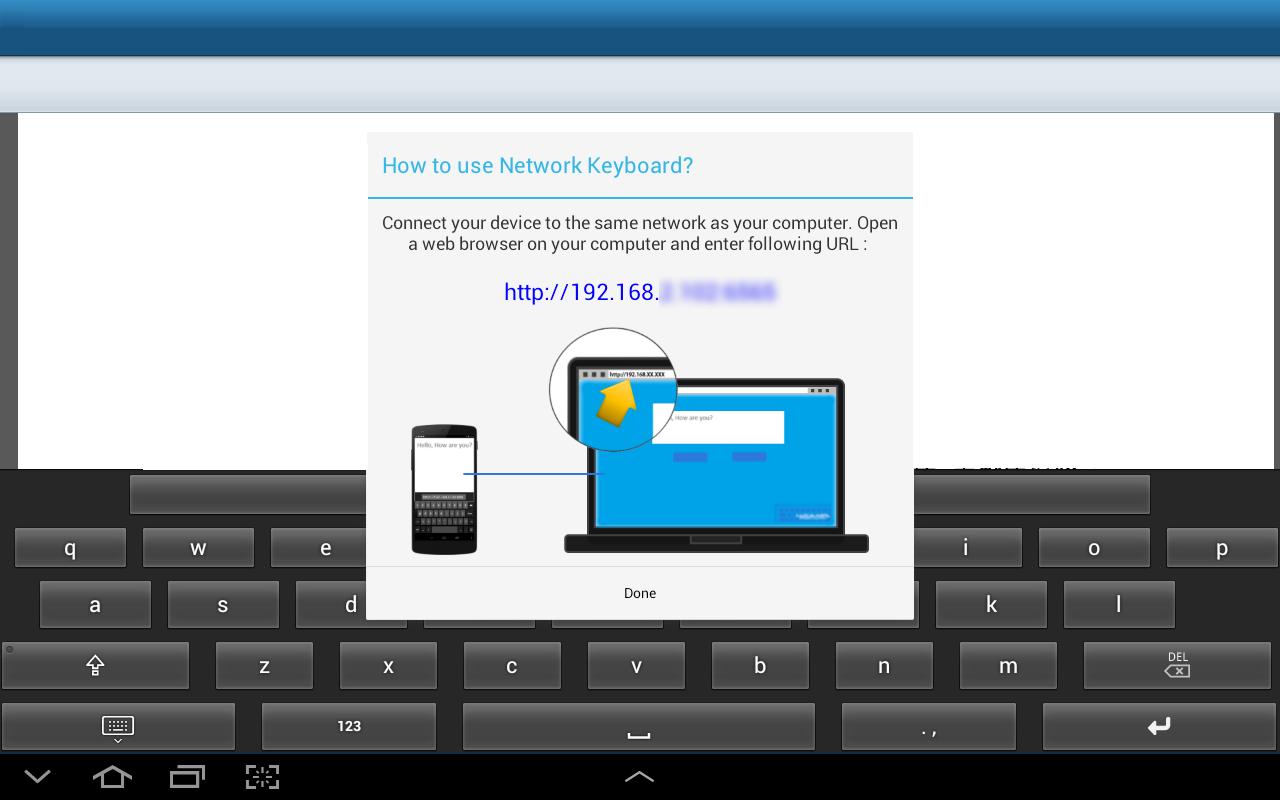
Network Keyboard enables you to type on the android device using a browser on your computer. All you need are:
• Network Keyboard installed on the device
• Access to Wi-Fi network to which your device is connected
How to use Network Keyboard?
1. Download Network Keyboard
2. Go to Settings and Language and Inputs
3. Under Keyboards and Input methods, select Network Keyboard
4. Tap on Default and select Network Keyboard
5. Now whenever the keyboard will appear, you will see the device IP Address
6. Type this IP Address on any browser on the PC, use your User ID and Password to login (if configured)
7. Use given space to type and see the same being typed in your device
Network Keyboard also maintains History of typed content of the running session for you. You can copy/paste old text again on the device.
معلومات ایپ اضافی
تازہ ترین ورژن
1.0اپ لوڈ کردہ
Sebastiano Costanzo
Android درکار ہے
Android 3.0+
کٹیگری
مفت پیداواریت ایپمواد کی درجہ بندی
Everyone
رپورٹ کریں
فلیگ غیر موزوں ہےمیں نیا کیا ہے 1.0 تازہ ترین ورژن
Last updated on Nov 6, 2015
اس ورژن میں معمولی بگ فکسز اور عمومی بہتریاں شامل ہیں۔ بہترین تجربے کے لیے تازہ ترین ورژن پر اپ ڈیٹ کریں۔
Network Keyboard اسکرین شاٹس
کے پرانے ورژن Network Keyboard
136.6 KBNov 6, 2015

متعلقہ ٹیگز







Network Keyboard کے لیے ریویو چھوڑیں
جائزے شامل کریں