
關於Quick Panel
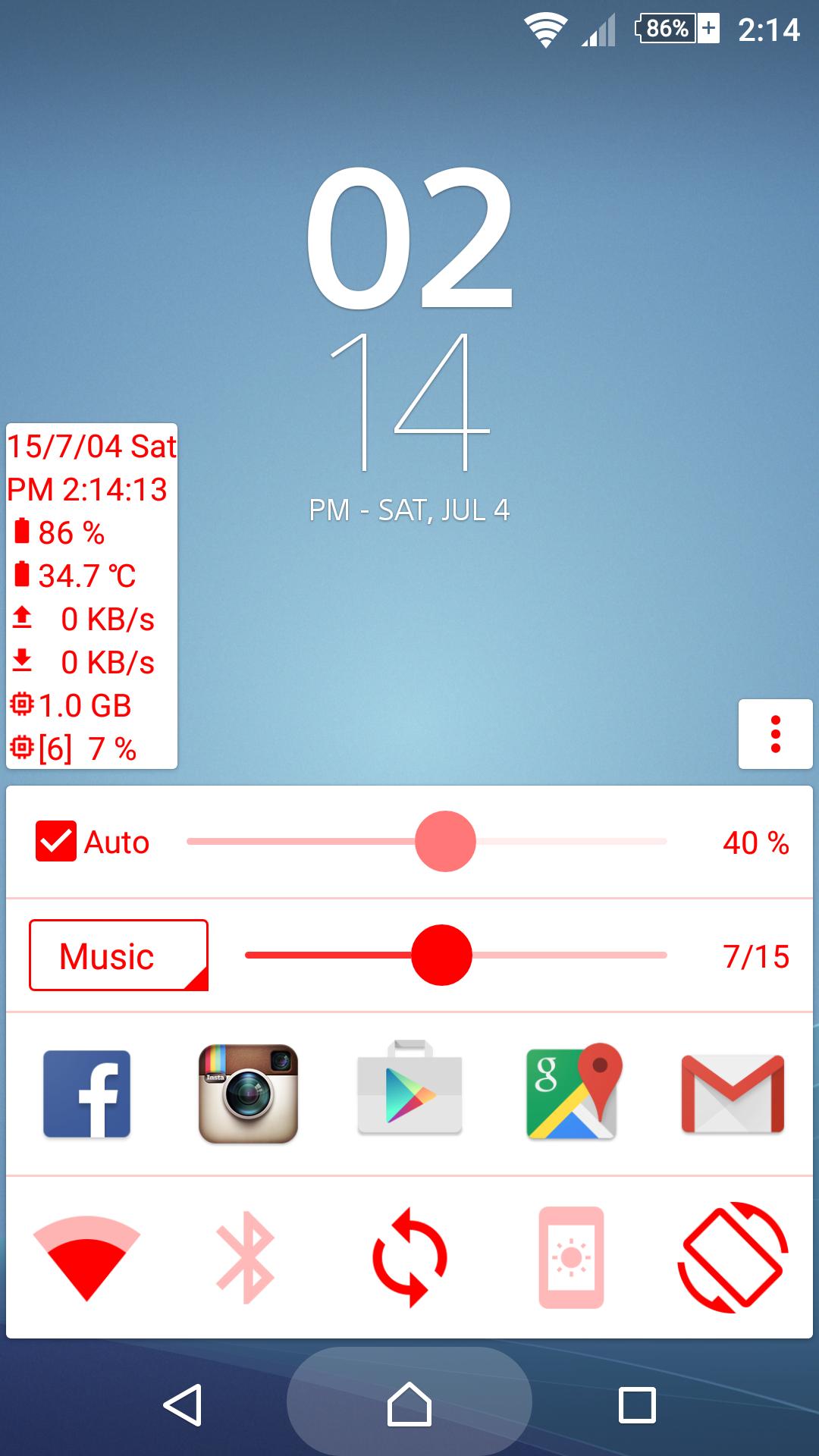
Quick panel can provide you with information and setting toggle in any case.
You can follow their own preferences, select color or change each panel.
※ Quick launch (Replace Google Now launch mode)
• Virtual Navigation bar device: Press and hold the Home button, then swipe up; repeat to close.
• Physical Navigation bar device: May long press or double-click the Home button(Note1); repeat to close.
※ Information panel
• Date and time
• Battery power and temperature
• Network and speed
• Available RAM
• CPU usage and frequency
• Environment brightness
※ Toggle panel
• WiFi
• Mobile data (Not support Android 5.0)
• Bluetooth
• Auto sync
• Ringtone mode
• Hot spot
• Auto rotate
• Keep screen on
• Torch(Flashlight)
※ Apps panel
• Quick launch other APP
※ Volume panel
• Voice call
• System
• Ring
• Music
• Alarm
• Notification
※ Brightness Panel:
• Screen brightness
• Below zero mode(May be less than the minimum brightness)
※ Note 1: Some devices may not support Quick launch.
最新版本1.4.2更新日誌
Last updated on 2015年09月03日
※ 1.4.2
• Improve the user experience and performance
Quick Panel 螢幕截圖

Quick Panel歷史版本
1.5 MB2015年09月03日