
關於Multi Window
多窗口,多風:側欄,Splite窗口,多窗口啟動器。
Multi Window
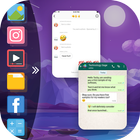
=> You Can Also Create Shortcuts Of Your Installed System Apps Icon Into Multi Window Tray. And By Clicking On These Shortcuts Icons, You Can Easily Switch From One Task To Another During.
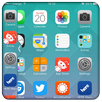
=>Side Bar Multi Window is a free application to provide you the ease of accessing your applications from anywhere. It is just a side launcher with your favorite applications. Shortcuts of your selected favorite applications
=>Now Enjoy With Multi Window Experience In Your Mobile Phone Also. Install This Free Tool To Create Your Favorite List Of Installed Icons In Your Phone. And Easily Switch From One Task To Another During Your Current Task.
=>Multi Window with Split Screen & Slide Bar is a free application to provide you the ease of accessing your applications from anywhere. It is just a side launcher with your favorite’s applications.
=> You can add apps, contacts or enable control center in Multi Window Side Bar.
Multi Window features
1. Easy to use
2. You Can Select Many Different Default Themes.
3. Select Applications from the list of all applications.
4. Set position of side bar button as top, center and bottom.
5. Side bar with control center like wifi, sound, bluetooth, torch, flight mode, mobile data etc.
6. You Can Increase And Decrease Speed Of Multi Window Tray.
7. You Can Arrange Icons.
You can download and have a great time with this unique And best application.
Thanks.
最新版本1.9更新日誌
Last updated on 2020年10月14日
Multi Window
Multi Window 螢幕截圖