
關於Lenovo QuickControl
Lenovo QuickControl enables you to control your computer remotely.
Lenovo QuickControl enables you to control your computer remotely from your smartphone. You can control the mouse, enter text, control movies and music, give presentations, and more. It requires a companion app running on your ThinkPad.*
Lenovo QuickControl connects to your computer over Bluetooth and can control a paired computer with no additional setup.
To control your computer over a local wireless network, make sure your smartphone and computer are connected to the same network and then pair them by opening Lenovo QuickControl on your smartphone and scanning the QR Code in the Lenovo QuickControl companion app on your computer. Or, if both your computer and smartphone support NFC, tap your smartphone to the NFC logo on your computer. Pairing is done in a few seconds automatically.
Features:
Touchpad - Emulates the touchpad of your computer. Move the pointer, click, and scroll using your smartphone.
Keyboard - Enter text on your smartphone and send it to your computer.
Media controller - Play, pause, skip tracks or chapters, and control volume.
Presentation controller - Move forward and backward through presentation slides.
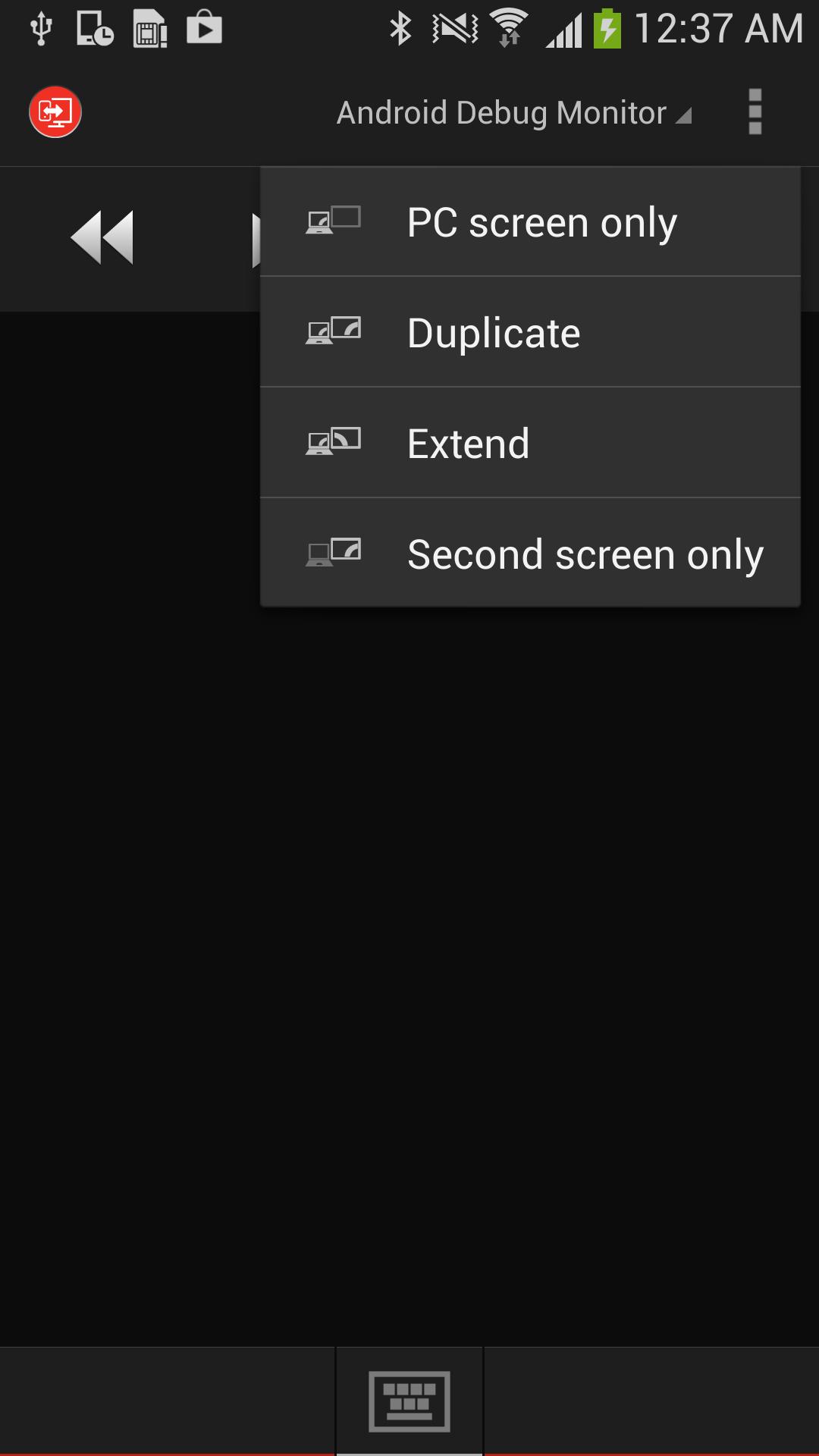
Projection settings - Changes the display mode of your computer and a connected projector.
App switcher - Lets you select an open application or window to show in the foreground.
*See www.lenovo.com for supported ThinkPad models.
QR Code is registered trademark of DENSO WAVE INCORPORATED.
最新版本2.2.0.0更新日誌
Last updated on 2015年08月01日
2.2.0.0
- Bug fixes
Lenovo QuickControl 螢幕截圖


Lenovo QuickControl歷史版本
3.9 MB2015年08月01日