Sensor Screen Lock hakkında
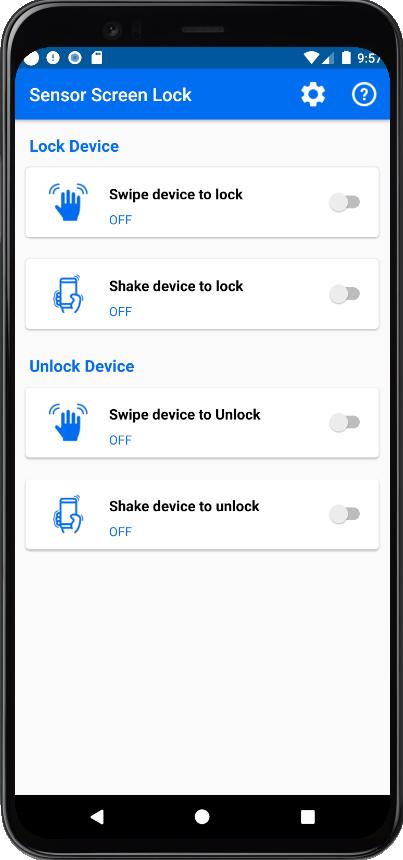
Ekranı kilitlemek veya kilidini açmak için telefonunuzun yakınlık sensörü üzerinde elinizi sallamanız yeterlidir.
To lock screen or unlock was never that easy and fun before this lockscreen app! Download “Sensor Screen Lock” right away.
Key Features:
● Wave hands over proximity sensor to lock and unlock screen
● Do not turn on screen when you put your phone in pocket
● Easily pause or play the app via notification center
● Disable in Landscape to avoid lock screen when playing game or watching video
● Allow set sensitivity for proximity sensor
● Set time delay before lock screen
● The app is free to install and use
“Sensor Screen Lock” is a smart and easy to use the smart screen on off app which uses your smart phone’s proximity sensor. This is just a perfect smart lock app to have on your device to easily lock and unlock your phone screen!
Note:
– The app makes error fingerprint so you should turn off fingerprint before using it.
– To uninstall the app you can click the button “Uninstall” in-app or go to “System Settings—>Security—>Device Administrators” to uncheck Administrator permission for Wave Lock and after uninstalling Wave Lock app same as normal way. If you can’t deactivate Device Administrator please try to restart your device to retry or contact us to get further support.
Ek UYGULAMA Bilgileri
En Son Sürüm
1.0Yükleyen
Nathália Karoline
Gereken Android sürümü
Android 4.1+
Kategori
Ücretsiz Araçlar UYGULAMAİçerik derecelendirmesi
Everyone
Bildir
Uygunsuz olarak işaretleEn son sürümde yeni olan 1.0
Last updated on Feb 27, 2022
Release Version.
Sensor Screen Lock Ekran görüntüleri



Sensor Screen Lock'in eski sürümleri
4.1 MBFeb 27, 2022