




About SyncMyTracks

Reviewed byBernadine WisokyContent Editor
SyncMyTracks is a fitness utility app that copies sports activities between connected tracking services.
SyncMyTracks helps when your workout history is spread across more than one fitness account, or when you are moving from one tracking service to another. Instead of handling each activity file one by one, the app gives Android users a direct way to manage activity transfers between supported accounts. As a result, runners, cyclists, and regular fitness users can keep their training records easier to follow. Users looking for the SyncMyTracks latest version can review these functions before installing.
Main SyncMyTracks Features
Sync activities between fitness services
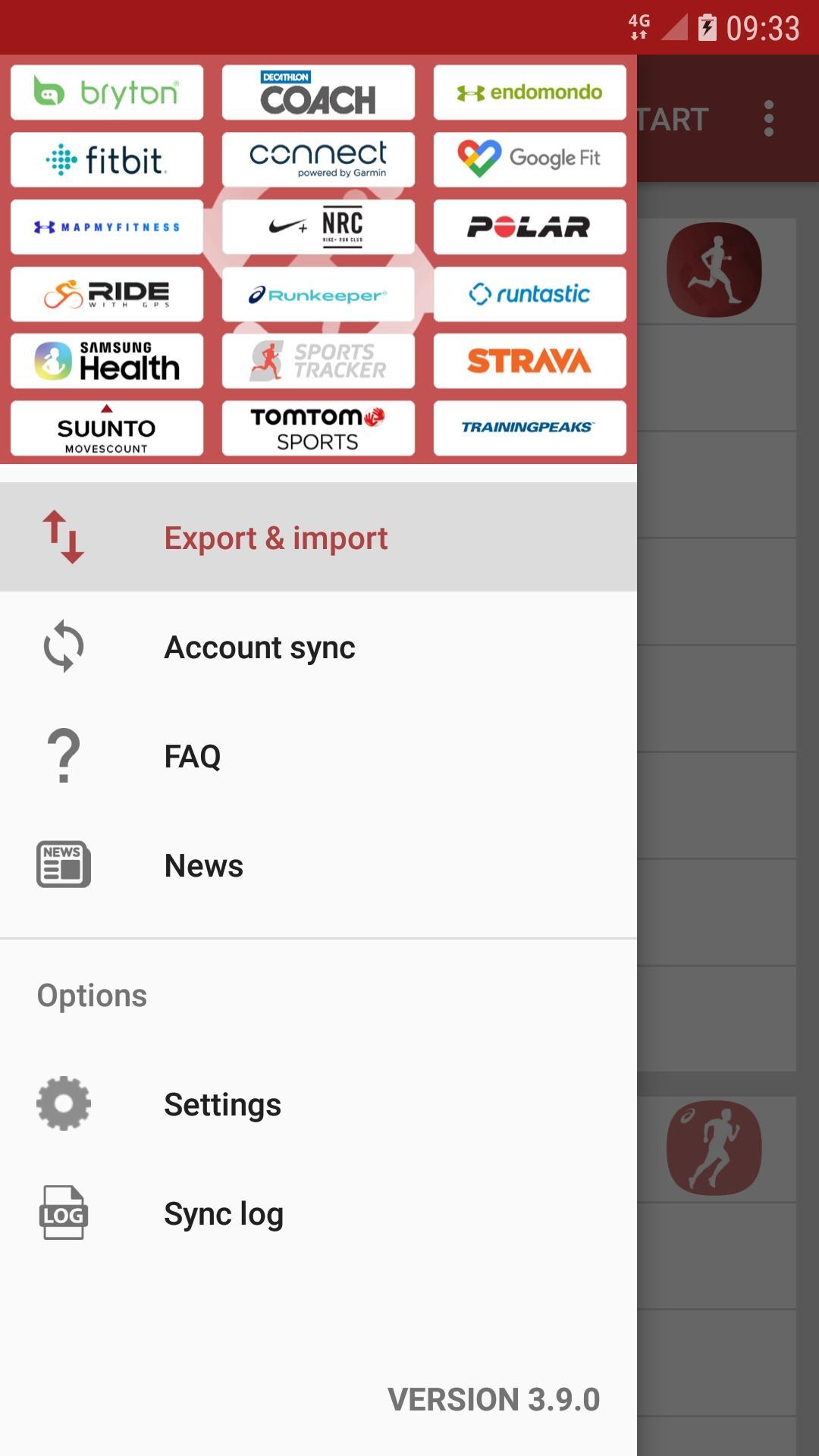
SyncMyTracks connects with many sports and fitness platforms, including Garmin Connect, Strava, Fitbit, Polar Flow, Samsung Health, Suunto App, TrainingPeaks, Nike Run Club, Runkeeper, and others. You can use it when your activities are stored in different places and you want a more consistent record across accounts. This makes the app useful for people who train with one device but review progress in another service.
Move workouts with GPX and TCX support
SyncMyTracks supports workout export and import through GPX or TCX files by linking a source account and a destination account. You choose where the activity comes from and where it should be copied, then the app handles the transfer based on the connected services. This can reduce the need to download and upload workout files manually for each session.
Copy new activities automatically
SyncMyTracks can run automatic account synchronization for users who want new workouts copied after they appear in one connected service. Once the accounts are set up, a new run, ride, or other activity added to the source service can be copied to selected destination accounts. In daily use, this is helpful when you want Garmin Connect, Strava, Polar Flow, Fitbit, or similar services to stay aligned without checking every workout yourself.
Keep important workout details when supported
SyncMyTracks synchronizes key workout data when the connected services provide it. This may include route, time, duration, distance, pace, map, heart rate, cadence, power, and temperature. Because each fitness platform handles data differently, the exact fields may depend on the source and destination services, but the app focuses on carrying the main training details users usually check after a workout.
Protect existing activity records
SyncMyTracks does not delete or change activities that already exist in your connected accounts. It only adds copied activities to the destination account. Before syncing, it also checks the activity start time to help avoid duplicate entries, which matters when the same workout may already exist in more than one service.
SyncMyTracks Free And Paid Options
SyncMyTracks is useful for both occasional transfers and ongoing account syncing, but users should understand the difference between the free and paid versions before downloading. The free version supports export and import with limits, which may be enough if you only need to move a small number of activities or test whether the app fits your setup.
The paid version is intended for users who need full account synchronization and do not want ads. If you regularly record workouts in one app and review them in another, the paid option may be more suitable because it supports broader syncing needs. Before choosing, consider how many accounts you use, how often you train, and whether you only need a one time migration or continuous syncing.
SyncMyTracks For Migration Between Services
SyncMyTracks is not only a workout exporter. It also helps when you switch from one sports tracking platform to another and want your older activity history to remain available in the new account. For example, a user moving from Polar Flow to Garmin Connect, or keeping Garmin Connect and Strava records close to each other, can use the app to copy supported activities instead of rebuilding history manually.
Because the app depends on connected account access and each service’s supported data, results can vary by platform. Even so, the main use case is clear. SyncMyTracks gives Android users a practical way to manage training history across multiple fitness services while keeping existing records untouched.
How To Use SyncMyTracks On Android
Before you start, decide which account contains the workouts you want to copy and which account should receive them. After installing the SyncMyTracks APK, you can follow the setup flow to connect accounts and choose how activities should move between services.
- Open SyncMyTracks on your Android phone and select the fitness service that contains your existing activities.
- Sign in to the source account when prompted, then allow the app to read the workout data needed for transfer.
- Choose the destination fitness service, sign in to that account, and confirm where the copied activities should be added.
- Select whether you want to import and export selected workouts or set up automatic synchronization for new activities.
- Review the sync options, start the transfer, and then check the destination account to confirm that the activity details appear as expected.
Start With SyncMyTracks
SyncMyTracks is designed for Android users who need to copy, back up, or synchronize fitness activities across services such as Garmin Connect, Strava, Fitbit, and Polar Flow. To manage workout history across connected accounts, download SyncMyTracks and review the available sync options before starting a transfer.
Official information for SyncMyTracks is available through the following channels.
- Website: https://www.syncmytracks.com/
- Email: syncmytracks@gmail.com
Additional APP Information
Latest Version
3.14.14Requires Android
8.1
Category
Health & Fitness AppContent Rating
Everyone
Report
Flag as inappropriateWhat's New in the Latest Version 3.14.14
Last updated on Apr 11, 2026
Minor bug fixes and improvements. Install or update to the newest version to check it out!
SyncMyTracks Screenshots



Related Tags










Popular Articles In Last 24 Hours
- Honkai Star Rail 4.4 Livestream: Release Date, Characters, Banners, and More
- BAT-BMS App Download Is Surging: Why It’s Trending and Whether It’s Safe to Install
- Brawl Stars July Update: Ramen Rebellion Theme, Noodle Shop, and More
- Minecraft 26.31: Changes, bug fixes, and new features in the Bedrock Edition hotfix




