Package Name:sonap.remoteflashlight
SHA-256:3dbbbf416fec6aae2d1e598a5fafde2a71c5cfb60e82ef212b30dad450fd02f6
Show More

This app uses the camera flash as a flashlight. If you connect two or more device, you can switch on the flashlights of the connected devices on from one device that acts as the remote control.
First, the devices must be paired. The app must be installed on both devices
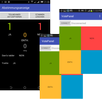
On the device you want to use as remote control, turn on the switch "Accept Remote Flashlights".
On a device you want to be remote controlled, tap the button "Connect to Remote Control". Then select the device from the paired Bluetooth device list.
Once connected, an additional switch for each connected device will appear on the remote control.
Latest Version
0.99.8Uploaded by
Ogii
Requires Android
Android 5.0+
Category
Free Tools AppContent Rating
Everyone
Security Report
Check Now
Report
Flag as inappropriateLast updated on Oct 24, 2025
SDK update



APKPure - A multi-platform app store primarily focused on Android, providing extensive app-related content. Discover the app you want easier, faster, and safer, with quick and efficient downloads and installations.