Scan Date:Jul 20, 2026
Show More

Python IDE turns your phone or tablet into a real Python 3.12 development environment with a genuine Linux terminal — write, run, and debug Python code anywhere, no desktop required. Built for students, data folks, and backend developers who need real tools, not toy simulators.
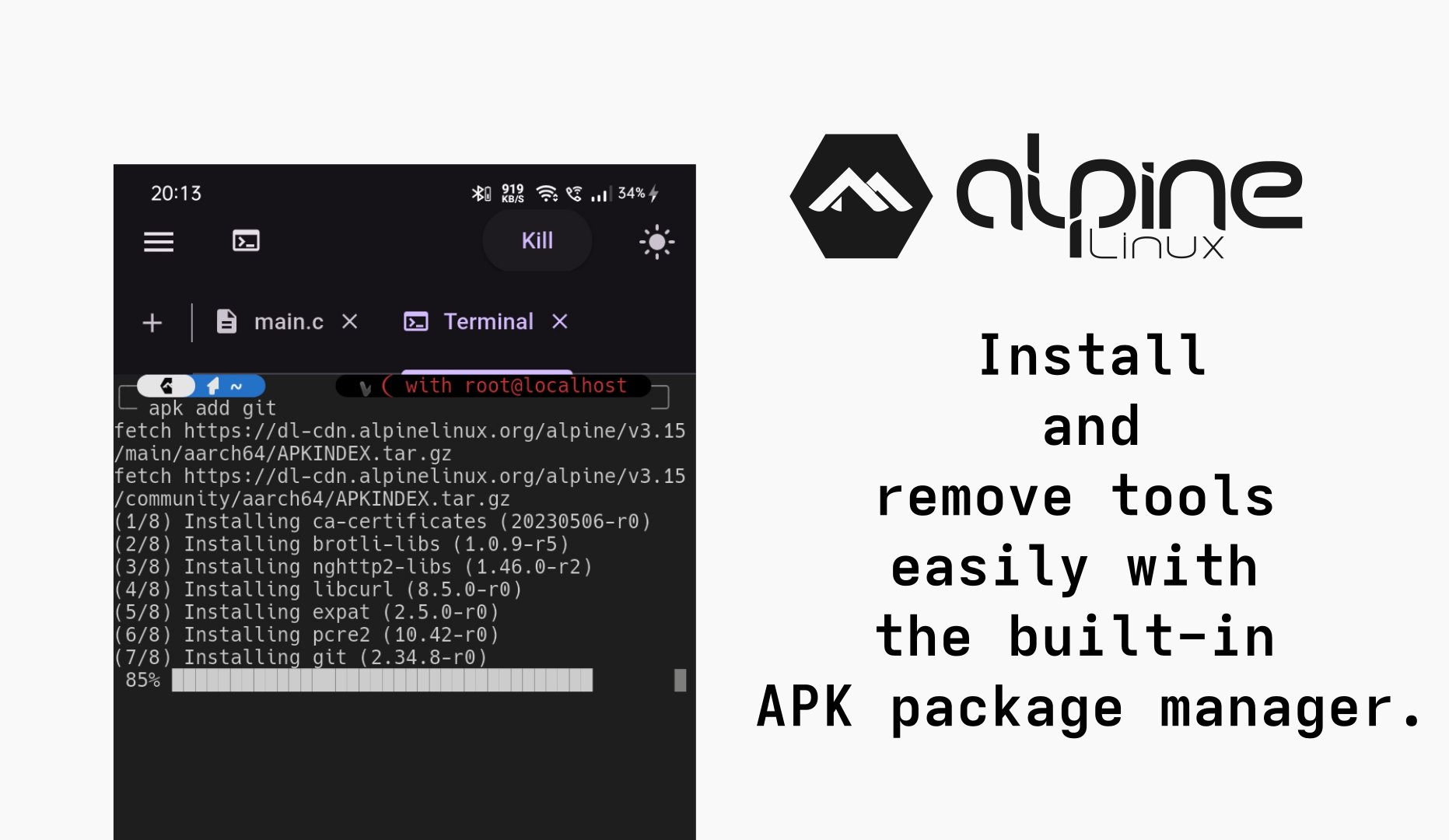
REAL LINUX TERMINAL
A real, full Linux command line running Python 3.12. Run python, pip, and any Linux command directly, install packages, and manage multiple terminal tabs with quick-key bars for symbols that are hard to type on mobile keyboards.
PROPER PYTHON TOOLCHAIN
Fast project setup and dependency management on Python 3.12, wired up automatically when you create a project, with full LSP (Language Server Protocol) support powering intelligent code completion, live error checking, jump-to-definition, find references, safe rename refactoring, and signature help you'd expect from a desktop IDE.
POWERFUL CODE EDITOR
Fast, accurate syntax highlighting for Python and 15+ other languages. Includes find & replace, go-to-line, fuzzy quick file search, a built-in hex viewer, a clean diff viewer, and 10 bundled programmer fonts including Hack Nerd Font, JetBrains Mono, and dyslexia-friendly options.
BUILD ANY PROJECT, ANY LANGUAGE
Create new projects from ready-made templates that set up the right tools automatically — projects stay 100% standard and usable outside the app. Beyond Python, Python IDE also supports:
• Python frameworks: FastAPI, Django, Flask
• JavaScript/TypeScript (React, Next.js, Vue, Nuxt, Svelte, Astro, Express), Go (Gin, Fiber, Echo), Rust (Axum, Actix, Rocket)
• PHP (Laravel, Symfony), Ruby (Rails, Sinatra), Java (Spring Boot, Quarkus), Kotlin (Ktor), C/C++ (CMake)
• Swift, Bash, Lua, Perl, R, Zig, Lisp, Dart
• Data Science: run and edit Jupyter notebooks directly on-device — no cloud required
RUN & PREVIEW LIVE
Run your scripts and servers straight from the toolbar, with terminal output streamed live. For web apps and APIs, your app opens automatically in a built-in browser preview without leaving the IDE.
BUILT-IN BROWSER INSPECTOR
For web projects and APIs, inspect running apps like a desktop browser: view page elements, styles, debug scripts, monitor network requests, check storage, and audit accessibility — all in one place.
FULL GIT CLIENT
Stage and commit changes, create/checkout/merge/rebase branches, manage stashes, browse commit history, resolve merge conflicts with a visual diff resolver, and manage remotes. Connect securely to GitHub, GitLab, and Gitea/Forgejo, and clone any repo in one tap.
SMART FILE MANAGER
Browse, create, rename, move, compress, and share files and folders through an intuitive, fast file tree built for touchscreens.
SPLIT-SCREEN, MULTI-TAB LAYOUT
Arrange code, terminal, and preview side by side with split-screen panes and a flexible tab system built for both phones and larger screens.
PRODUCTIVITY TOOLS
Project-wide search & replace with regex support, a fast command palette for quick actions, and a reusable code snippets manager with per-language snippet bars.
FULLY CUSTOMIZABLE
~20 built-in app themes (VSCode, Dracula, Nord, Tokyo Night, JetBrains, and more), terminal color schemes, and custom coding fonts. A one-tap Reset Environment restores a clean workspace whenever you need a fresh start.
SECURE BY DESIGN
Credentials and tokens are protected with encrypted storage, keeping your GitHub, GitLab, and Gitea logins safe on-device.
WHO IS PYTHON IDE FOR?
• Students learning Python 3.12 and backend fundamentals
• Developers building FastAPI, Django, or Flask apps on the go
• Data scientists who need quick access to Python and Jupyter notebooks
• Multi-language developers who also touch Go, Rust, C/C++, or web stacks
Code anywhere. Debug everything. Python IDE.
Latest Version
5.0.9Uploaded by
Thảo Ly
Requires Android
Android 7.0+
Category
Free Tools AppContent Rating
Everyone
Security Report
Report
Flag as inappropriateLast updated on Jul 20, 2026
- Real Linux terminal with multiple tabs and quick-key bars
- Jupyter notebook
- Fast Python project setup with LSP-powered autocomplete, live error checking, and code navigation
- Support for Python frameworks: FastAPI, Django, Flask
- Also supports Go, Rust, C/C++, JavaScript/TypeScript, PHP, Ruby, Java, Kotlin, and more
- Built-in browser inspector (elements, styles, debugger, network, storage, accessibility)
- Full Git client
- Split-screen, multi-tab workspace layout





APKPure - A multi-platform app store primarily focused on Android, providing extensive app-related content. Discover the app you want easier, faster, and safer, with quick and efficient downloads and installations.