



Over FTP Server
mjFTP Server is een snel en makkelijk te gebruiken FTP-server.
mjFTP Server is a fast & easy to use FTP Server.
Connect via Wifi to your Android Smartphone or Tablet to upload / download files. Backup Photos, Music, Movies, etc. to your PC.
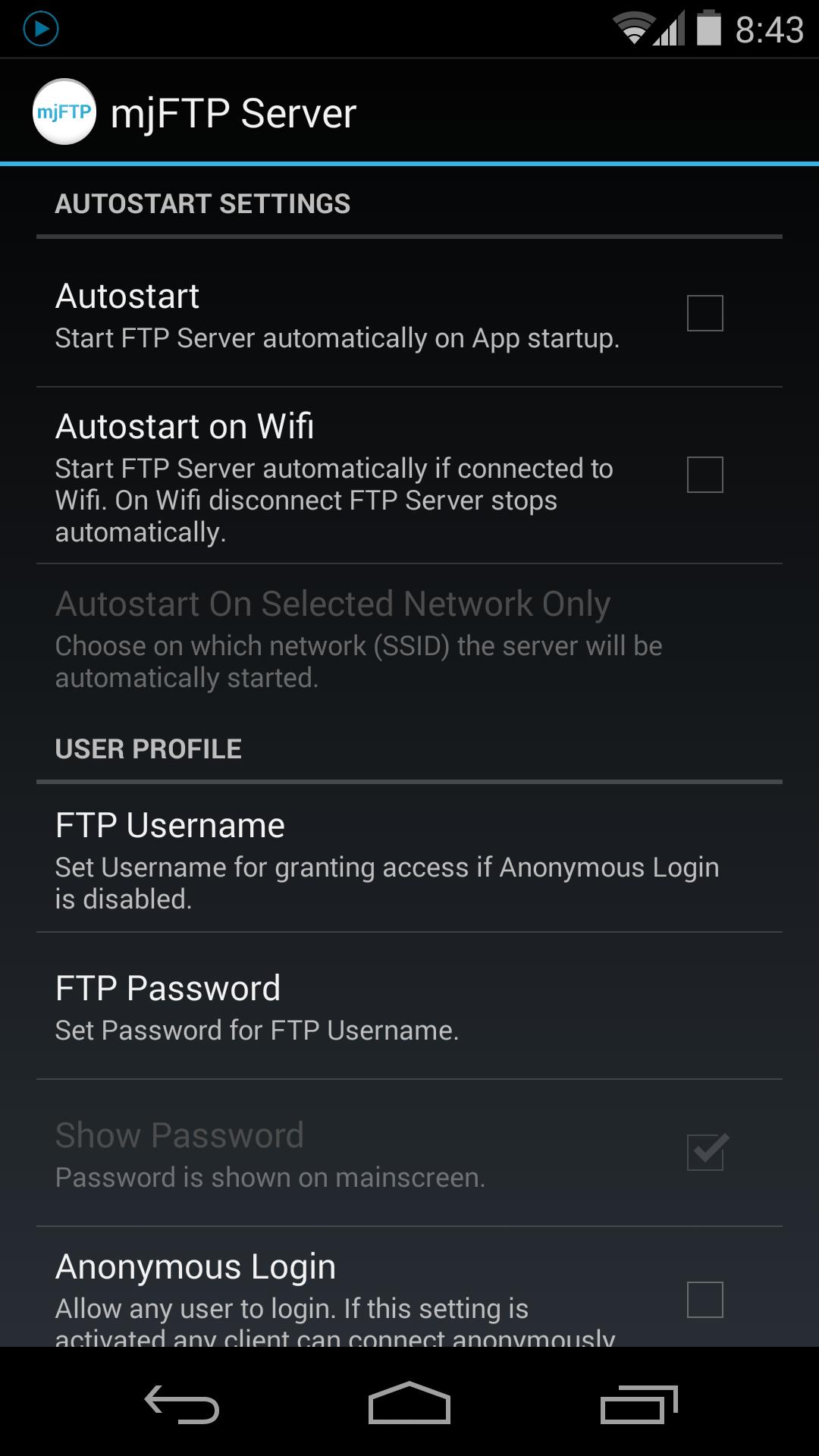
It can run fully automated in the background. If Wifi gets connected / disconnected FTP Server starts / stops automatically (goto Settings to activate this feature).
All you need is a FTP Client (e.g. FileZilla or FTPbox) on your PC.
There is a great tutorial on the FileZilla website on how to use a FTP Client:
https://wiki.filezilla-project.org/FileZilla_Client_Tutorial_(en)
Alternatively a web browser can be used for searching and downloading files.
Features:
- Enable / Disable FTP Server automatically if Wifi gets connected or disconnected
- Restrict access by using a FTP user
- Anonymous login
- Autostart FTP Server on App start
- Custom home folder
Needed Permissions:
WRITE_EXTERNAL_STORAGE
Allows to write uploaded files to SD Card.
INTERNET
Allows to open network connections to FTP Clients.
ACCESS_NETWORK_STATE
That permission is required to determine if network connectivity is available.
ACCESS_WIFI_STATE
Needed in order to activate FTP Server automatically.
WAKE_LOCK
Keeps phone screen on while server is running. If screen turns off FTP Server can fail (depends on device).
Tags: mjFTP FTP Server ftp server ftp client share backup copy file files music movies images photos pictures wifi web sharing files transfer connect wireless tablet phone smartphone
Aanvullende APP -informatie
Laatste Versie
3.0Geüpload door
Arthur Garc
Android vereist
Android 2.2+
Categorie
Gratis Tools APPInhoudsbeoordeling
Everyone
Melden
Rapporteer als ongepastWat is er nieuw in de nieuwste versie 3.0
Last updated on Oct 13, 2017
- Minor bug fixes
FTP Server Screenshots


Gerelateerde Tags










Laat een beoordeling achter voor FTP Server
Reviews toevoegen