


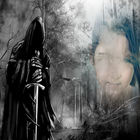

Over Devil Photo Frames
Maak uw foto met de duivel frames
Devil Photo Frames is a powerful photo editor for you to create awesome looks photos, text with frames in Devil Photo Frames.
How to use Devil Photo Frames
= Just Select Photo From Gallery or Directly Capture photo in Camera
= Select Frames for your photo.
= Add more effects on your photo to make it more smooth and attractive.
like brightness, sepia ,saturation , threshold etc.
= Add Text on your photo
= Rotate and adjust everything as you need.
= Save your photo. That's it....
Features of Devil Photo Frames
- Add Special Effects to your photo
- Awesome Photo Frames Collections
- Photo Brightness
- Sepia Effects Added
- Saturation Effects Added
- Threshold Effects Added
- Add Text as you want
- Multi touch zoom in zoom out photo
- Multi touch rotate photo
- Single touch to rotate text resize text delete text from photo
- Add text on photo with multiple text style and colors
- Easy to share your photo on social media
Aanvullende APP -informatie
Laatste Versie
4.5Geüpload door
Eslam Salah Ahmed
Android vereist
Android 4.1+
Categorie
Gratis Fotografie APPInhoudsbeoordeling
Everyone
Melden
Rapporteer als ongepastWat is er nieuw in de nieuwste versie 4.5
Last updated on Mar 26, 2020
- Improve User Interface,
- Improve photo clarity,
- Bug Fixed
Devil Photo Frames Screenshots


Oude versies van Devil Photo Frames
Alle versies
Gerelateerde Tags





Laat een beoordeling achter voor Devil Photo Frames
Reviews toevoegen