




Mengenai Screen Project
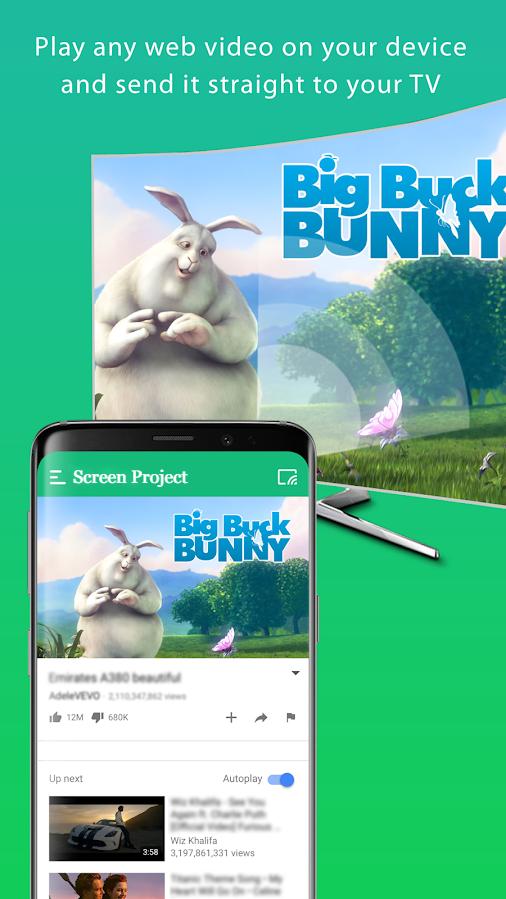
Gunakan Projek Skrin untuk mengalirkan video terus ke TV di rangkaian anda
Screen Project allows you to watch videos from your favourite websites on your internet connected TV. This includes movies, TV shows, sports, IPTV and more.
Screen Project supports the most popular streaming devices, allowing your TV to stream videos directly from the web.
☆☆ Supported Devices:
📺 Chromecast
📺 Smart TVs: Samsung, LG, Sony, Hisense, Xiaomi, Panasonic, etc.
📺 Xbox
📺 Amazon Fire TV, Fire Stick
📺 Apple TV and Airplay
📺 Roku, Roku Stick and Roku TVs
📺 Kodi
📺 Other DLNA devices
*If you experience compatibility issues, contact us and include the brand and model number.
☆☆ Requirements & info:
● Streaming to TV from your phone is very dependent on the Wi-Fi network and streaming device
● Please make sure that your phone and streaming device are connected on the same Wi-Fi network
● The video format must be supported by the streaming device
● In some cases you may need to restart your TV or router
How to use:
1. Use the in-app browser to find an online video
2. Ensure your phone and streaming device are connected to the same Wi-Fi
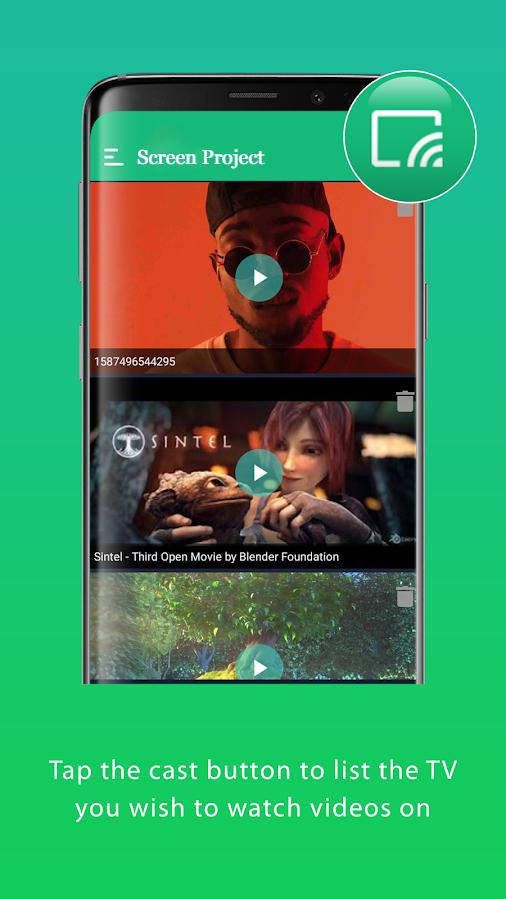
3. Connect to your streaming device
4. Play the video. Screen Project will cast the video and and you can subsequently control it remotely with your phone.
For more info and support, please write to us at support@sparklingapps.com
Maklumat APLIKASI tambahan
Versi Terbaru
1.0.5Dimuat naik oleh
Akshay Rajput
Memerlukan Android
Android 5.0+
Penilaian Kandungan
Everyone
Laporkan
Tandai sebagai tidak sesuaiApa yang baru dalam versi terkini 1.0.5
Last updated on Aug 16, 2022
- Bug fixes and performance improvement
- Updated ad framework
Screen Project Tangkapan skrin


Tag Berkaitan
Juga tersedia untuk platform lain














Tinggalkan ulasan untuk Screen Project
Tambah Ulasan