
Mengenai Null Keyboard
Papan kekunci yang tidak menunjukkan. Berguna dengan papan kekunci perkakasan bluetooth.
A keyboard that does nothing.
Yes, really.
This keyboard is useful if you have an external bluetooth keyboard paired with your phone and you want to stop the on-screen keyboard from popping up all the time.
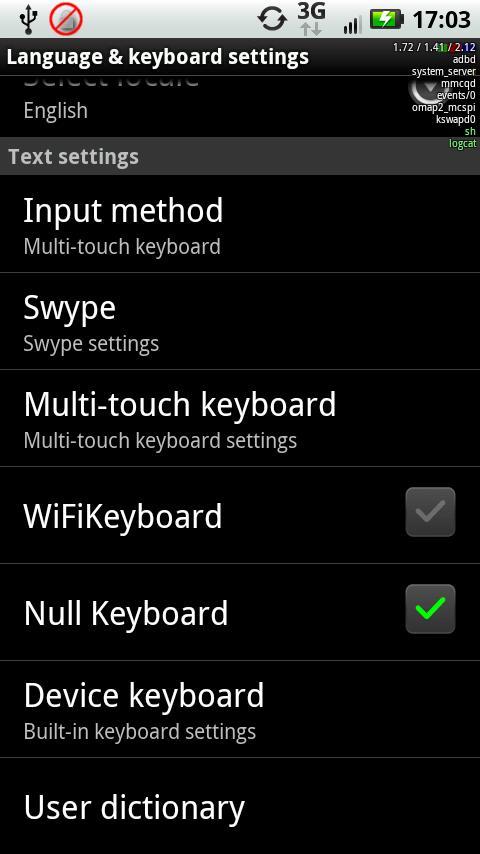
To use, go in to keyboard settings and enable null keyboard, and then pick it as your input method. No keyboard should appear until you change it back.
NOTE: Samsung galaxy tabs running the latest android have an issue where the keyboard is frequently switched back to the on-screen keyboard. As far as I can tell, a fix for this needs to come from samsung, not from me. Even if it's something I can fix on my end, without a tab to test on, there's no way I'm going to be able to figure out what it is.
Maklumat APLIKASI tambahan
Versi Terbaru
oneDimuat naik oleh
Sugali Sinjay
Memerlukan Android
Android 1.6+
Category
PERCUMA Alatan APLIKASIPenilaian Kandungan
Everyone
Laporkan
Tandai sebagai tidak sesuaiApa yang baru dalam versi terkini one
Last updated on Sep 15, 2015
Versi ini mengandungi pembaikan pepijat kecil dan penambahbaikan umum. Kemas kini kepada versi terkini untuk pengalaman terbaik.
Null Keyboard Tangkapan skrin

Versi lama Null Keyboard
18.6 KBSep 15, 2015

Tag Berkaitan












Artikel Popular dalam 24 Jam Terakhir
- Bagaimana untuk memuat turun Gacha Nox pada Android & iOS?
- Как скачать последнюю версию Plants vs Zombies Fusion Edition APK 3.9 для Android 2026
- How to Download Google Play Store APK Latest Version for Android 2026
- Cómo descargar la última versión de Plants vs Zombies Fusion Edition APK 3.9 para Android 2026