
Mengenai File Locker.
use this: https://play.google.com/store/apps/details?id=com.amadosoft.filelocker
an improved new free pro version (File Locker Pro) is available at:
https://play.google.com/store/apps/details?id=com.amadosoft.filelocker
please unlock all your files before using the new version.
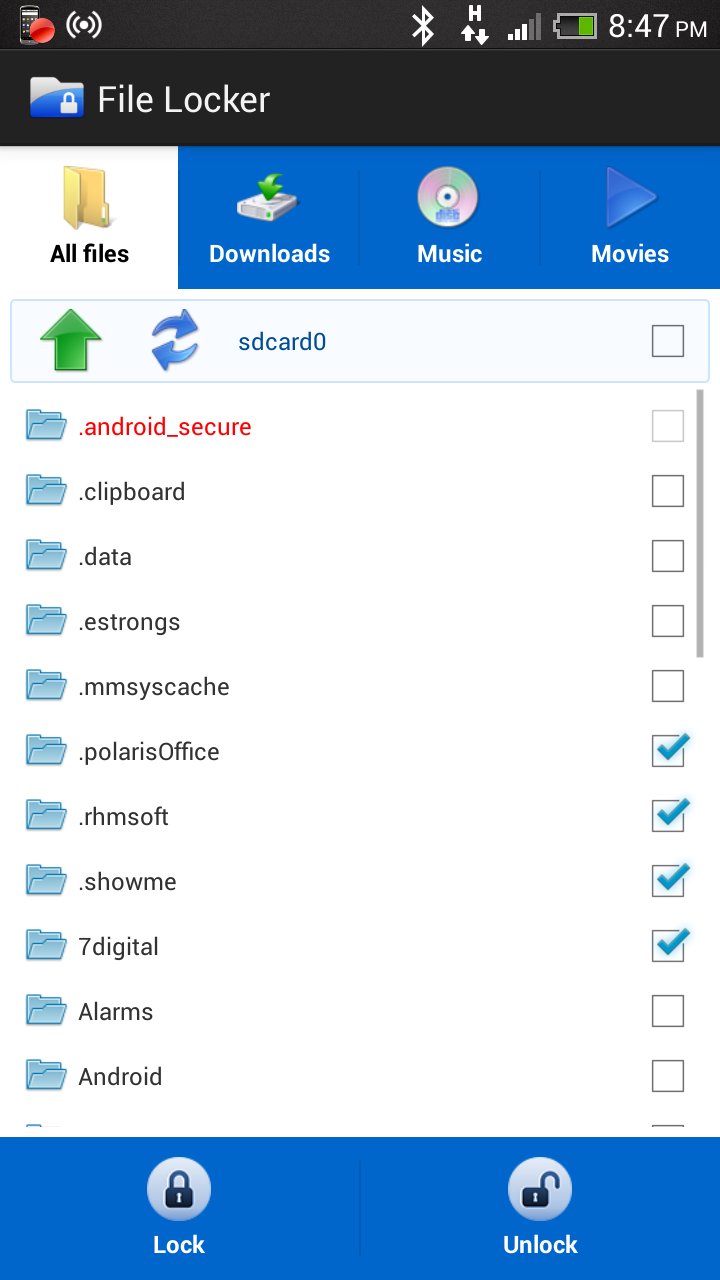
"File Locker" allows you to browse files and folders on your device and encrypt all private files and folders with (or without) a password. encrypted (locked) files can never be opened on your device or any other device (or PC) even if "File Locker" is not installed. encrypted file can only be opened after being unlocked by "File Locker" with the same password used to lock it. "File Locker" encrypts the whole file, not just the beginning of the file so, your file is completely secure. "File Locker" appends ".flk" to the locked files/folders names to distinguish locked files from other files. "File Locker" has elegant user interface, clean design, great reliability, and extremely high performance.
===================
To lock files or folders:
===================
1- browse to the target file(s) or folder(s) and check the checkbox beside it (its name turns into green).
2- press the lock button, enter a password or leave empty.
3- an encrypted file with the same name plus a ".flk" extension is created to replace each selected file or folder.
4- that's it.
===================
To unlock files or folders:
===================
1- browse to the target ".flk" file(s) and check the checkbox beside it (its name turns into green).
2- press the unlock button, enter the password used to encrypt the file(s) or leave empty if you didn't use a password.
3- original files and folders are restored to replace ".flk" files.
4- that's it.
===================
Note: Red files and folders are system files and can't be encrypted.
===================
Note: this app is a highly-secure encryption app and that prohibits providing any password-recovery procedures. the user is responsible for maintaining the used password. if i provide any password-recovery methods, your data will not be secure.
===================
Maklumat APLIKASI tambahan
Versi Terbaru
5.4Dimuat naik oleh
Vinicius Beckhan
Memerlukan Android
Android 3.0+
Category
PERCUMA Alatan APLIKASIPenilaian Kandungan
Everyone
Laporkan
Tandai sebagai tidak sesuaiApa yang baru dalam versi terkini 5.4
Last updated on Aug 11, 2015
arabic support.
extremely faster.
File Locker. Tangkapan skrin
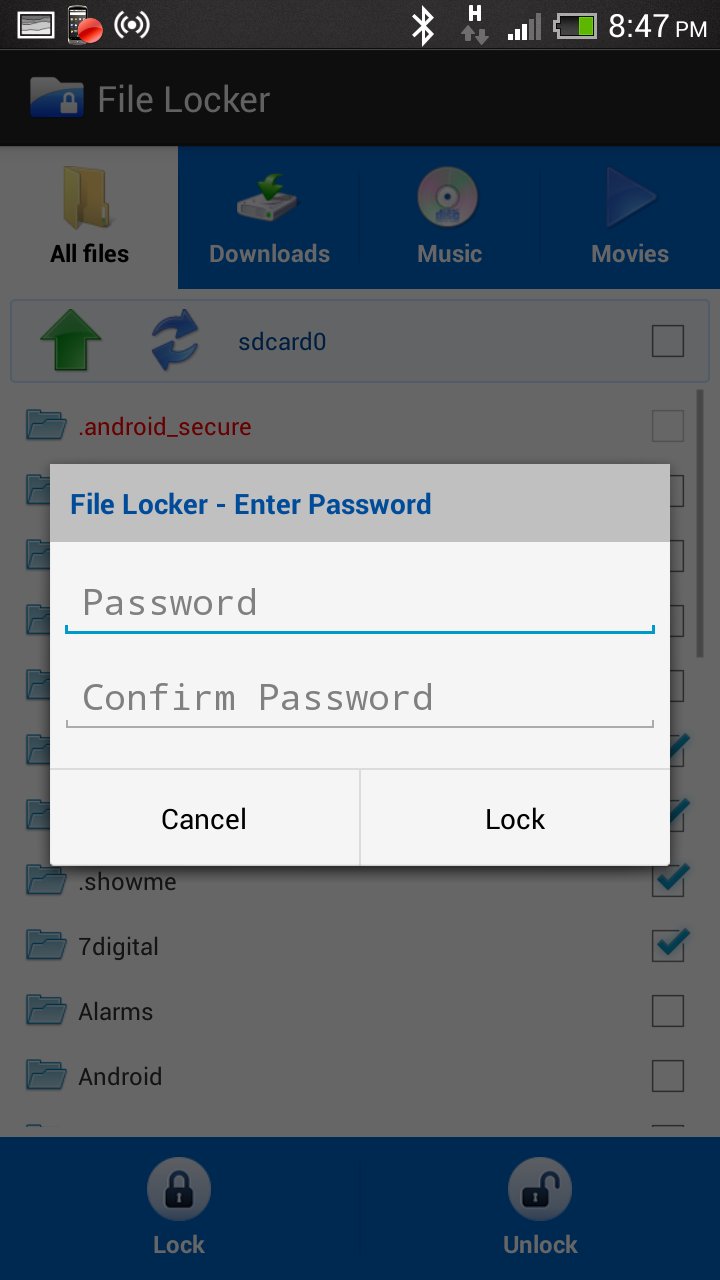


Versi lama File Locker.
1.3 MBAug 11, 2015