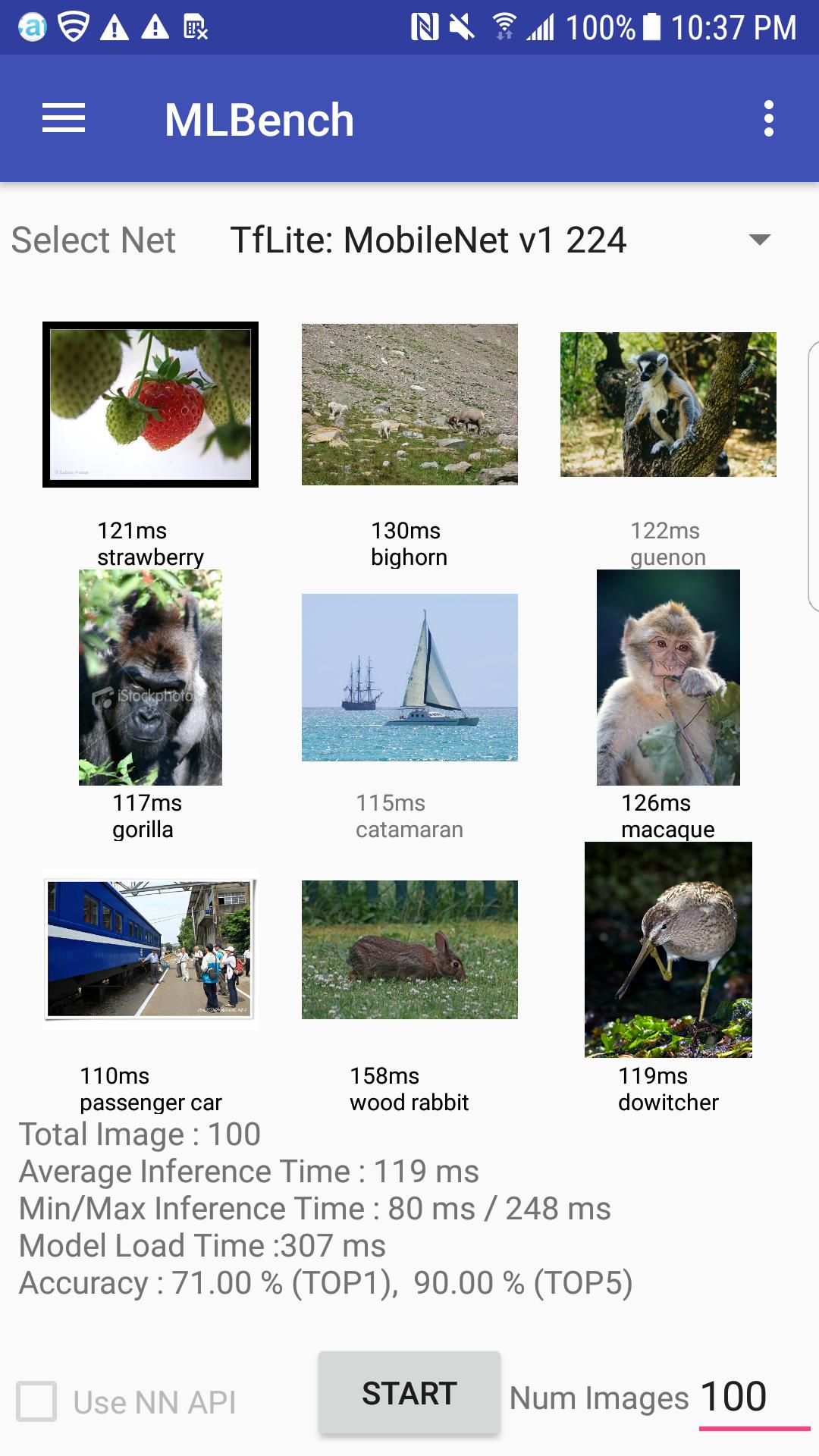
About ML Bench
Machine Learning Benchmark AI Benchmark
Machine Learning Benchmark Tool (ML Bench) (AI Benchmark Tool)
Supported models :
- MobileNet v1
- MobileNet v2
- Inception v3
- Resnet v2 50
- SSD Mobilenet v1 (Object Detection)
Supported runtime :
- Tensorflow Lite
- Tensorflow Mobile
- Android NN
- SNPE (for Qualcomm)
- PyTorth
- TVM
How to side load your model :
1. Prepare your model file (supported types are tflite, pytorch, tvm, dlc)
2. On your local machine, create [Model Name] directory
3. Copy your model file to the [Model Name] directory
4. Create a file called meta-data.json in the [Model Name] directory
example of meta-data.json :
{
"xres" : 299,
"yres" : 299,
"depth" : 3,
"input_type" : "float",
"output_type" : "float",
"input_name" : "input:0",
"output_name" : "InceptionV3/Predictions/Reshape_1:0",
"image_mean" : 0,
"image_std" : 0,
"label_offset": 1
}
* you can also set your own label, ground truth and image files
{
...
"labels": "my_labels.txt",
"ground_truth": "my_ground_truth.txt",
"image_path": "my/path/to/images",
...
}
5. push [Model Name] directory to your device using below command
adb push ./[Model Name] /sdcard/Download/MlBenchModels/
Additional APP Information
Latest Version
1.7.0.25Uploaded by
Matheus Izidro
Requires Android
Android 8.0+
Category
Free Tools AppContent Rating
Everyone
Report
Flag as inappropriateWhat's New in the Latest Version 1.7.0.25
Last updated on Jan 23, 2022
Adnroid 12 support
ML Bench Screenshots