




About KickBack
KickBack provides haptic feedback for eyes-free computing.
TalkBack, Kickback, and SoundBack are apps for the Android Accessibility Service to help blind and vision-impaired users use their devices more easily.
These apps add spoken, audible, and vibration functionality services to your device. They are system applications that were pre-installed on most device and are updated when the accessibility service is improved.
These apps only get activated if you explicitly turn on Accessibility.
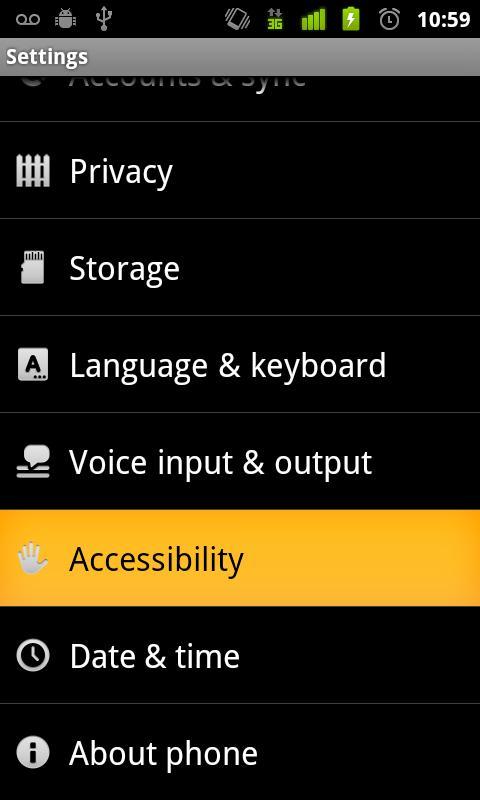
Steps to activate Accessibility:
1. Go to Settings
2. Select Accessibility
3. Enable Accessibility checkbox
4. Enable TalkBack, KickBack, SoundBack checkboxes
Additional APP Information
Latest Version
1.1.2Requires Android
1.6 - 3.2
Category
Free Tools AppContent Rating
Everyone
Report
Flag as inappropriateWhat's New in the Latest Version 1.1.2
Last updated on May 2, 2012
This release includes minor bug fixes and general improvements. Update to the latest version for the best experience.
KickBack Screenshots


Related Tags




![[DEPRECATED] Chrome to Phone APK](https://image.winudf.com/v2/image/Y29tLmdvb2dsZS5hbmRyb2lkLmFwcHMuY2hyb21ldG9waG9uZV9pY29uXzBfNTk1ZGFlZWE/icon.png?w=102&fakeurl=1)










All ReviewsAdd Reviews