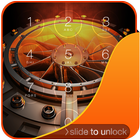

このMachine Lock Screenについて
Machine Lock Screen
Machine Lock screen is one of the best Locker for secure your phone screen.
You have to just enable pass code from settings in this application and create own password for lock your phone screen.
Machine Lock screen lets you customize your mobile lock screen with your name, photo and your background.
How to Use:
1. Open the app settings, and Enable Lock Screen to enable it.
2. Click the Disable System Lock in case you use the system lock.
3. Click on Passcode Lock to set your own Password.
4. Enable or Disable vibration and sound as you like.
5. Customize clock Setting Like (Time Format, Time Color, and Date Color).
6. Enable or Disable the status bar setting as you like.
7. You can customize your mobile lock screen with your name and color by Lock Name Settings.
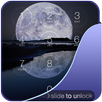
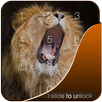
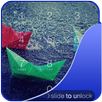
8. Set Lock Screen Wallpaper to switch to different beautiful backgrounds.
9. You can also set your image in your lock screen with this Machine Lock Screen.
Feature
*Slide to unlock.
*Enter pin to unlock.
*A lot of beautiful wallpapers to choose
*Unlock sound enable/disable.
*Unlock vibration enable/disable.
*Set your Name ,Your Image in lock screen.
*Customize Setting for Time , Status Bar ,and Lock Screen name.
Now download and enjoy this Machine Lock Screen.
アプリの追加情報
最終のバージョン
1.2投稿者
Courtney Ranger
Android 要件
Android 2.3.4+
カテゴリー
フリー ソーシャルネットワーク アプリコンテンツのレーティング
Teen · Simulated Gambling
最新バージョン 1.2 の更新情報
Last updated on 2016年07月29日
* Pattern lock feature added
* Performance improved
Machine Lock Screen スクリーンショット