
このFeature Detection using OpenCVについて
様々なOpenCVの機能の検出とマッチングアルゴリズムを試してみてください。
This app demonstrates several of the OpenCV Feature Detection algorithms.
When you first run it, it will prompt you to download opencv from Google Play. This is painless and necessary.
There is a video that explains how to use it here: https://youtu.be/cXuRiw--KH4
Or, read on:
To start, point the camera at an object you'd like to track. Then hit 'Train'. The object should be on a solid background so that no extraneous feature points are detected.
Then try moving the camera around and watch the app try to locate your object on the screen.
There are 3 modes which are accessible from the '...' menu in the upper right:
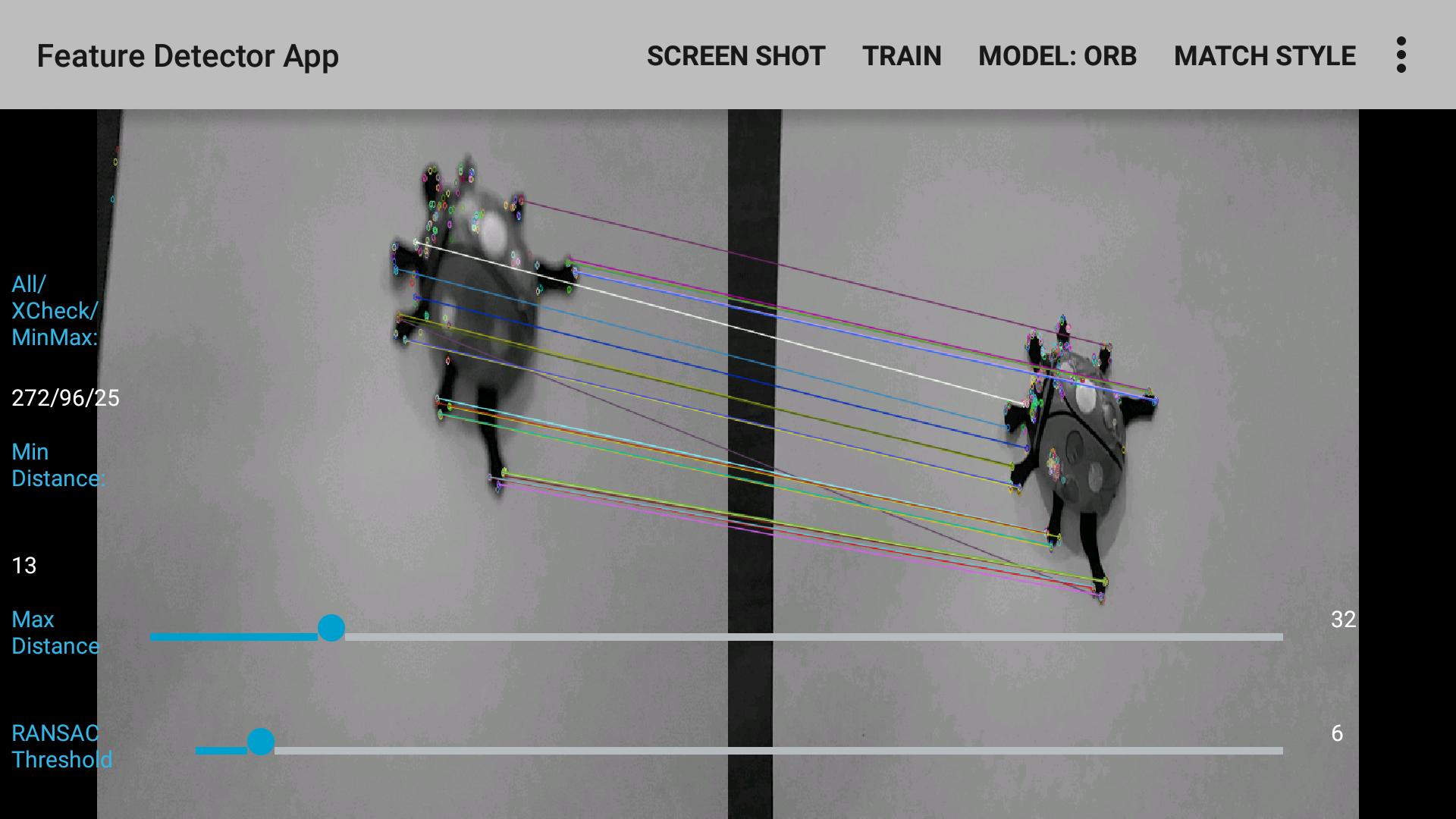
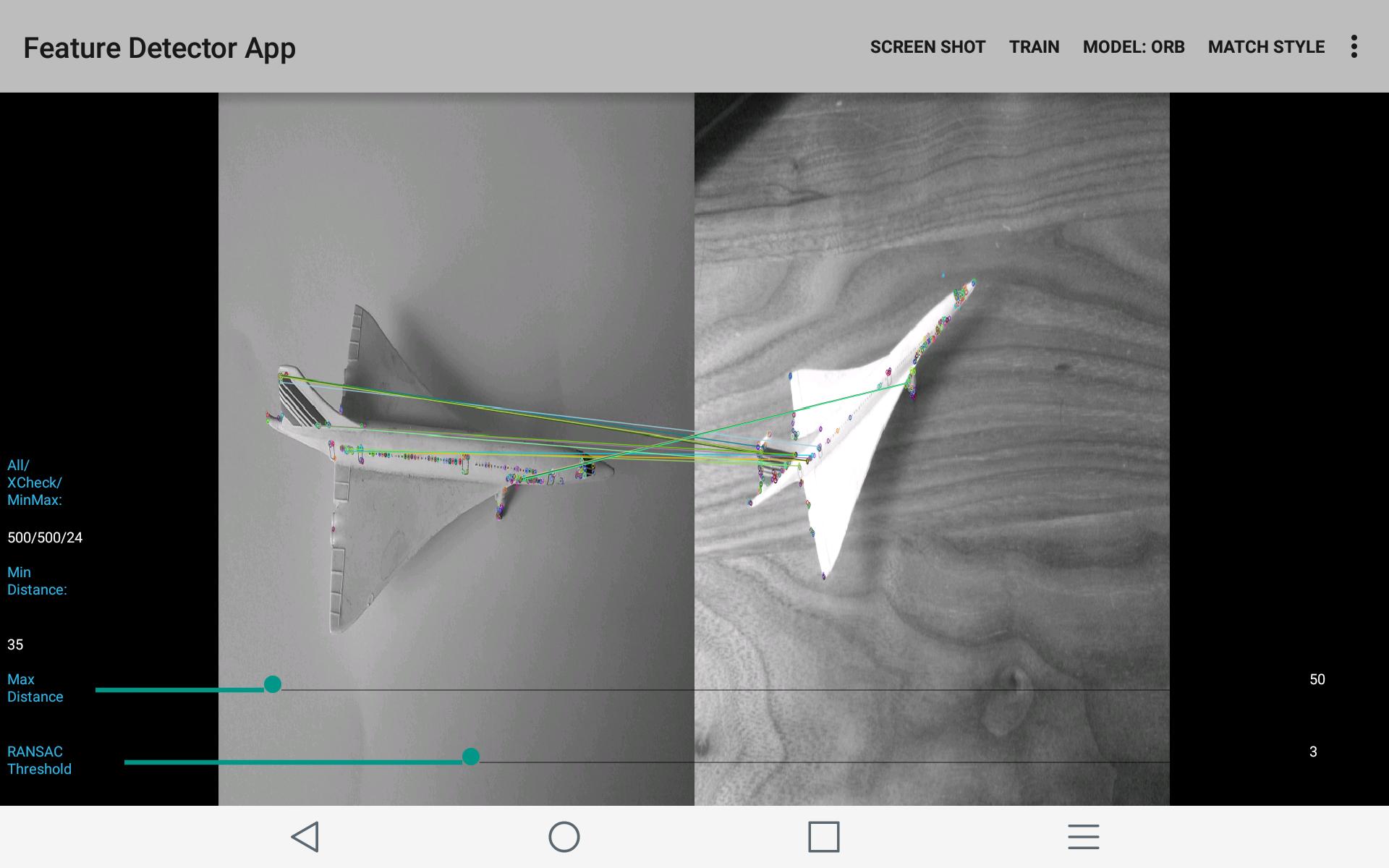
1. Match mode. This is the default. It shows the original object and draws lines to the feature points it is able to match.
2. Box mode. This uses findHomography() routine to draw a box around the object. Not perfect if the object is too small. Designed for planar objects.
3. Draw key points. Just shows you the detected key points.
You can choose one of several algorithms:
1. ORB Detector, ORB Descriptor Extractor.
2. ORB Detector, FREAK Descriptor Extractor.
3. BRISK Detector, BRIEF Descriptor Extractor.
4. STAR Detector, BRIEF Descriptor Extractor.
There are several matching modes you can experiment with.
1. KNN: K-nearest neighbor matcher. Finds the 15 nearest matches for each feature.
2. Ratio Check: Finds the 2 nearest neighbors and rejects any feature where the 2 nearest matches are too similar.
3. Cross-check: Filters matches to those which agree backwards and forwards.
Ratio Check, Cross-Check filter matches, reduce the total count. You can also filter on 'distance' which is really a quality measure, using the slider.
There are 2 Seek Bars in the app:
The first one controls the max distance beyond which a match will be excluded.
The second one controls the Ransac threshold. It is only used for Homography. (Drawing the box).
Source Code is at: https://github.com/rwoodley/SteamSpace/tree/master/AndroidApps/FeatureDetectorApp
アプリの追加情報
最終のバージョン
1.01投稿者
Mohammad Shoyeb Ansari
Android 要件
Android 4.4+
カテゴリー
フリー 教育 アプリコンテンツのレーティング
EveryoneLearn More · Everyone
最新バージョン 1.01 の更新情報
Last updated on 2016年02月18日
このバージョンには軽微な不具合の修正と全般的な改善が含まれています。快適に利用するため、最新版にアップデートしてください。
Feature Detection using OpenCV スクリーンショット