




About HopWeb

Reviewed byBernadine WisokyContent Editor
HopWeb is a mobile IDE that lets you code and run PHP websites on Android.
HopWeb suits learners and tinkerers who want to build small web projects on a phone without a laptop. It offers an on-device workspace where you can write code, test it locally, and show quick demos when needed. Since development is suspended, the current release is aimed at practice and prototyping rather than production use. The workflow centers on creating, testing, and iterating in short loops so you can learn by doing. If needed, you can download HopWeb latest version APK from APKPure.
What you can do in HopWeb
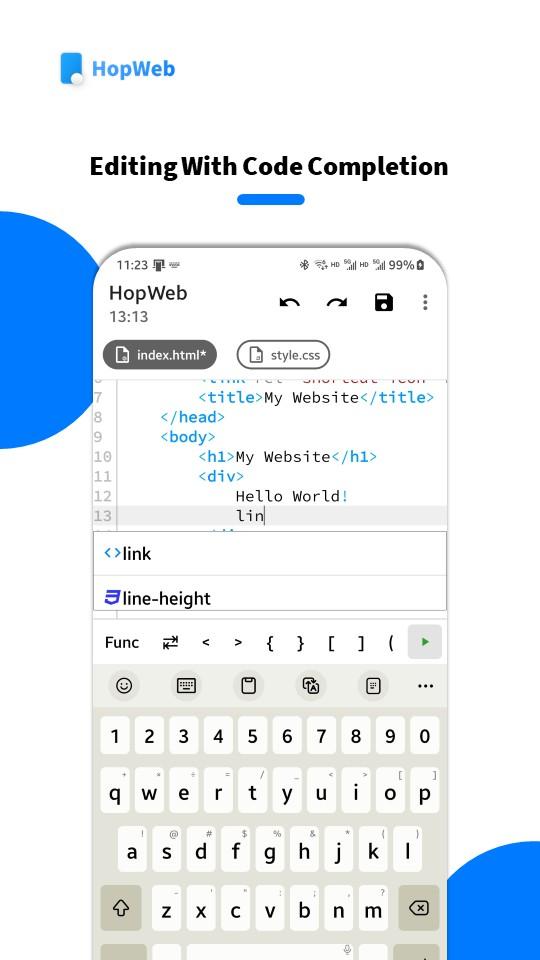
Edit web code with assistance
HopWeb lets you edit HTML, CSS, JavaScript, JSON, XML, and PHP in one place. Code completion, formatting, and snippets help reduce common mistakes as you type. You can switch between files quickly and keep focus on the page you are building. This makes short practice sessions easier to manage on a phone.
Run a local PHP server and preview
After you edit, you can start the local PHP server to see the site running on your device. A local link is available so you can open the same project on other devices over the same WiFi for quick multi screen checks. This short feedback loop helps you spot layout issues early. You can then return to the editor and adjust your code.
Package a site into an Android app
When you need to share a demo, HopWeb can package your website into an installable Android app. Basic settings are available so you can tailor the package for a quick presentation or a classroom handout. The process runs fully on-device and fits small projects well. It is a practical way to show work without a server.
Keep projects in external storage
HopWeb uses an integrated file manager so you can create folders and move files with ease. Projects are saved to external storage by design, which keeps your code accessible through any file manager. If you remove the app later, your projects stay in place. This setup supports simple backup and sharing practices.
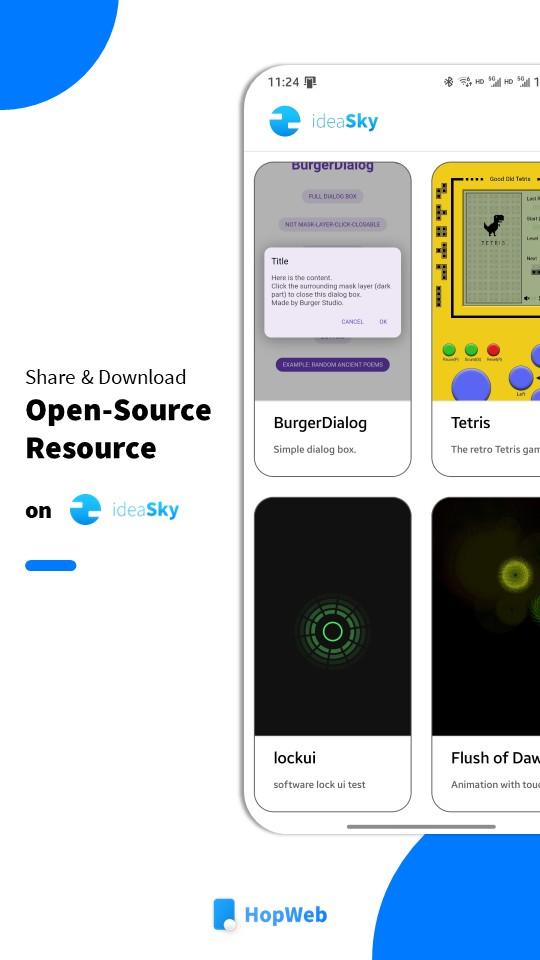
Start faster with ideaSky samples
If you are new to web code, the ideaSky section offers examples, templates, and sample projects. You can download a sample, open it in the editor, and learn by exploring a working page. This reduces time spent on setup and helps you focus on the parts you want to practice. It also gives you reference patterns for common layouts and interactions.
HopWeb status and scope
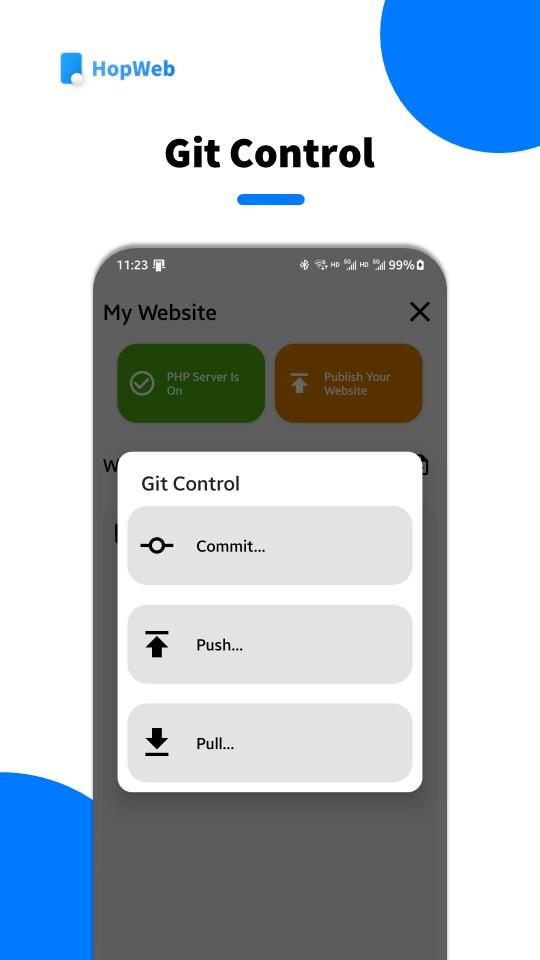
Development of HopWeb is currently suspended. The current build focuses on learning, prototyping, and quick demos rather than production sites. Packaging to an Android app is best suited for classroom use, personal experiments, and small presentations. If you need a stable tool for these cases, this version covers the basics well.
Storage and permissions in HopWeb
HopWeb requests access to external storage so your projects are saved in a location you can reach with any file manager. This keeps files available even if you uninstall the app. It also helps when you want to copy a project to another device or share it with a teammate. Files remain under your control in a standard folder structure.
Finding the current HopWeb build
The listing on APKPure provides the standard package for this app. If you need the HopWeb latest version, check the version information shown on this page. Avoid modified packages from unofficial sources, as they may not match the behavior described here.
How to use HopWeb on Android
Once you download HopWeb, you can move through a short mobile workflow that fits quick practice. The steps below follow a simple create, test, and share loop. This approach works well for small sites and classroom examples.
Open HopWeb, create a new project, or start from an ideaSky sample to save setup time.
Add your HTML, CSS, JavaScript, and PHP files, then use code completion and formatting to clean up structure.
Start the local server and open the preview; if needed, use the local link on another device on the same WiFi.
Return to the editor, adjust your code, save changes, and refresh the preview until the result matches your goal.
When the demo is ready, use the packaging tool to build an Android app and set basic options before installing.
Download HopWeb on APKPure
HopWeb provides a focused environment to learn, test, and share small web projects on a phone. It brings editing, local preview, and simple packaging into one place for quick practice. Begin with the HopWeb app to try this workflow on your device.
Additional APP Information
Latest Version
2.7.4.GLOBAL.PLAYUploaded by
Md Jahangir Islami
Requires Android
Android 7.0+
Category
Free Tools AppContent Rating
Everyone
Report
Flag as inappropriateWhat's New in the Latest Version 2.7.4.GLOBAL.PLAY
Last updated on Sep 5, 2023
- Support MariaDB (MySQL) database server.
- Improve the stability of PHP Server.
- Target API version is 34 (Android 14) now.
- Project manager's background is acrylic style now.
- Traditional Chinese has been replaced by Spanish in Display Language. If you have set Traditional Chinese, it will be Spanish now.
- Fix some bugs.
HopWeb Screenshots





Old Versions of HopWeb
All Versions
Related Tags


















All ReviewsAdd Reviews