

Scan Date:Jan 5, 2026
Show More

Freeview helps when you want quick access to UK free TV without switching between different apps. It brings leading broadcaster players into one place for discovery, then hands you off to their official apps for playback. You install BBC iPlayer, ITVX, Channel 4, My5 and UKTV Play to watch, and you sign in where required. Because of content rights, usage is intended for the UK only. If you plan to download Freeview, set expectations that it is an aggregator, not a replacement for an aerial.
Free live and on demand viewing
Freeview lets you watch live or on demand when it suits you, at no cost. Playback happens in the broadcaster apps you install, so content availability depends on each provider and your location. For the smoothest experience, make sure you are signed in to those apps before you start.
Unified browsing and deep links
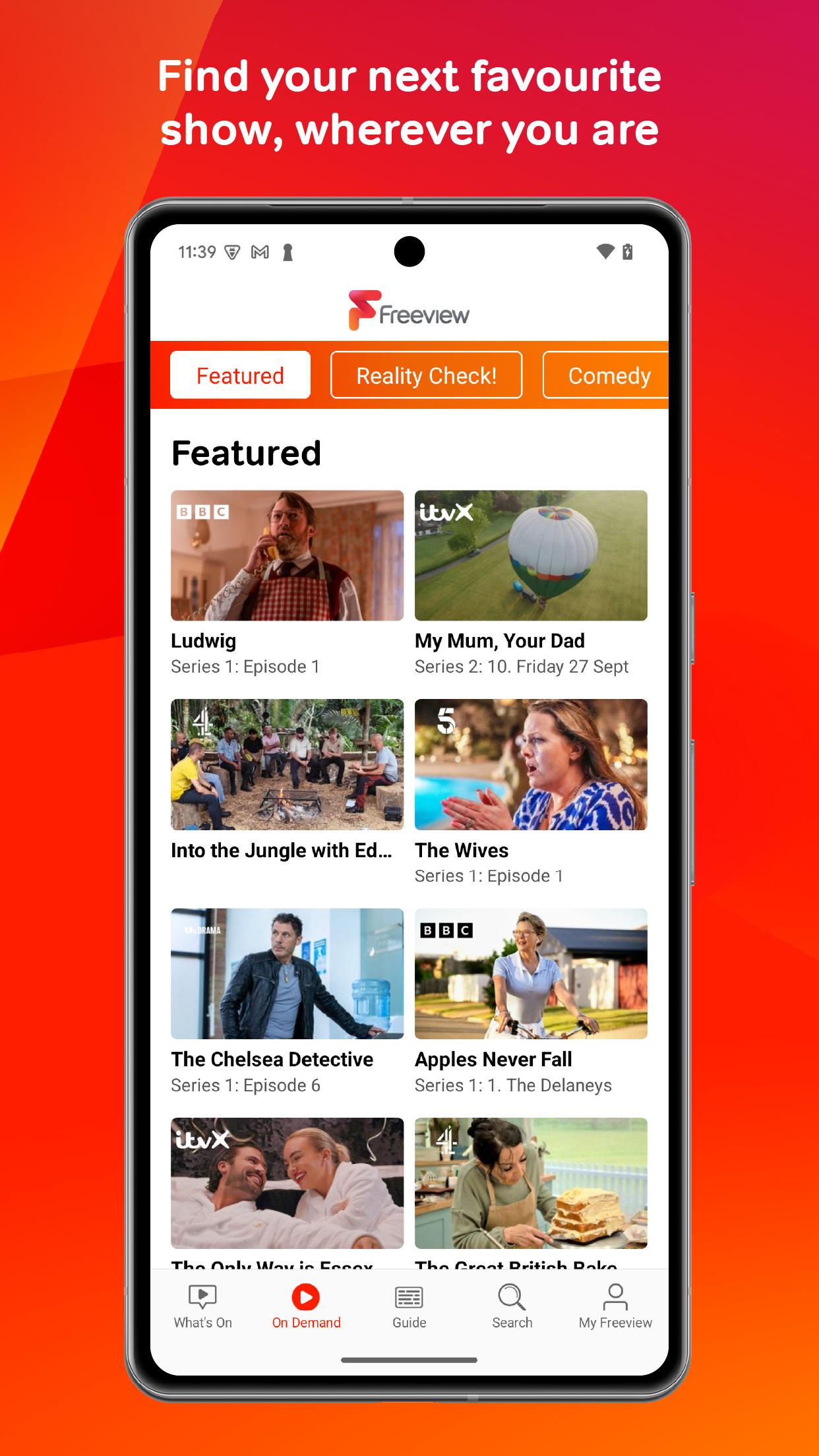
From one place you can browse shows from BBC iPlayer, ITVX, Channel 4, My5 and UKTV Play. Freeview provides direct links into those apps, which reduces jumping around and helps you get to a program faster. This structure is straightforward for users who prefer a single starting point.
Search and curated picks
Freeview includes search across supported players and curated recommendations to surface relevant programs. You can look up titles, genres or channels, then move straight to the correct app to watch. Over time, the suggestions help you notice options you might otherwise miss.
TV Guide with reminders and scroll back
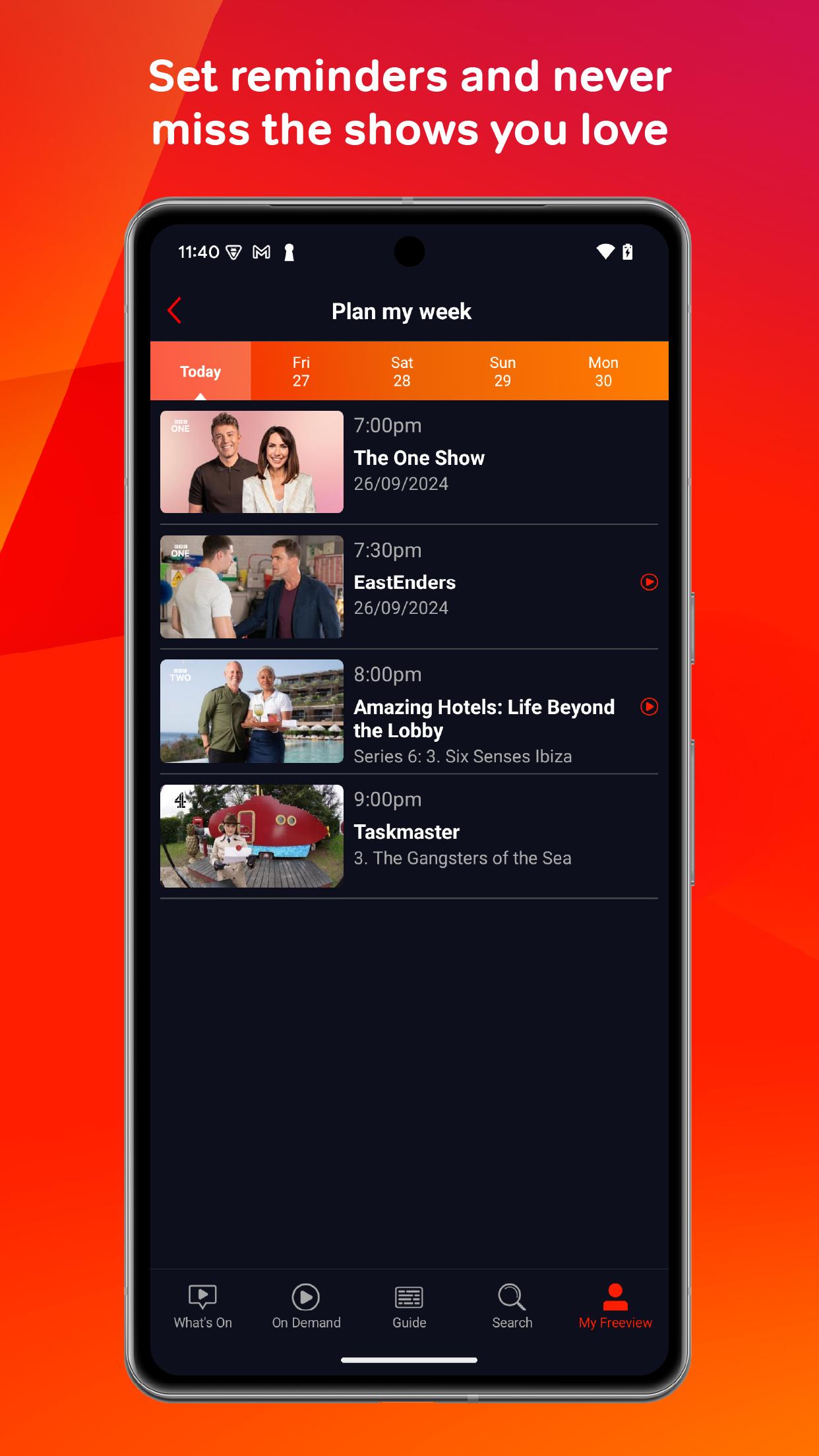
The full TV Guide shows what is on now and next for Freeview channels. You can set reminders so you do not miss a show, and you can scroll back through the past seven days to catch up on missed programs. This approach supports both planning ahead and finding recent broadcasts.
Handoff to broadcaster apps and clear expectations
Freeview focuses on discovery and linking rather than streaming every live channel inside the app. It does not replace an aerial, and some channels or streams may only be available through the individual broadcaster players. Installing the relevant apps and signing in ensures handoff works as intended.
Freeview serves UK viewers. Due to content rights, service and catalogs are intended for use within the United Kingdom. Access abroad is not supported, and content may vary based on location and broadcaster rules. Before you download Freeview, check your location, as use outside the UK may be limited or unavailable. This matters at install time, since some users ask whether they can use Freeview in India or other countries. The app is designed around UK free to air TV.
Freeview aggregates listings and links and does not host streams itself. When you tap a show, you are taken to BBC iPlayer, ITVX, Channel 4, My5 or UKTV Play to watch. You need those apps installed on your device, and you may need to sign in based on each broadcaster’s rules. This avoids duplicate accounts and keeps playback inside official players. It also means individual app updates or content decisions can affect availability within Freeview.
Freeview in this app refers to UK free to air television. It is not the Freeview services in Australia or New Zealand, which are separate platforms with different apps and content. If you are looking for those regions, this app will not provide their channels or guides. Keeping this distinction in mind helps avoid confusion before installation.
Freeview latest version makes it simple to find live and catch-up TV across UK broadcasters. The app acts as your starting point, then opens the right player when you pick a show. Follow these steps on an Android phone.
Freeview brings UK free to air TV together for discovery, search and reminders, then opens playback in broadcaster apps. If you want a simple place to plan and find shows, consider the Freeview APK for your Android device.
For more official details, visit:
Latest Version
2.8.6Uploaded by
Everyone TV
Requires Android
Android 5.0+
Category
Free Entertainment AppContent Rating
Everyone
Security Report
Report
Flag as inappropriateLast updated on Jan 5, 2026
*Optional landscape mode brought back!
*Version number now included in Settings
*Maintenance and stability updates





APKPure - A multi-platform app store primarily focused on Android, providing extensive app-related content. Discover the app you want easier, faster, and safer, with quick and efficient downloads and installations.