




دربارهی OTG USB patch + NTFS mount
WORKING, ONLY, WITH ROOTED DEVICES !!! Switch OTG modes and mount NTFS disks
For operation of this application you shall have rights of root and the kernel with OTG support is set
Sequence of actions:
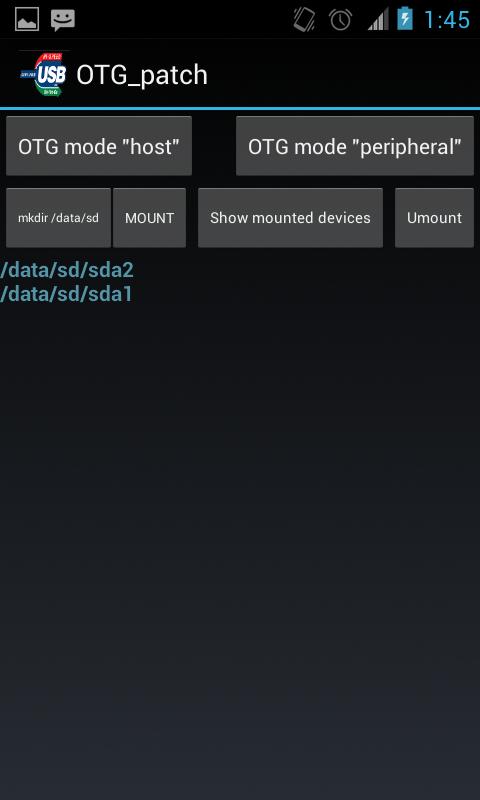
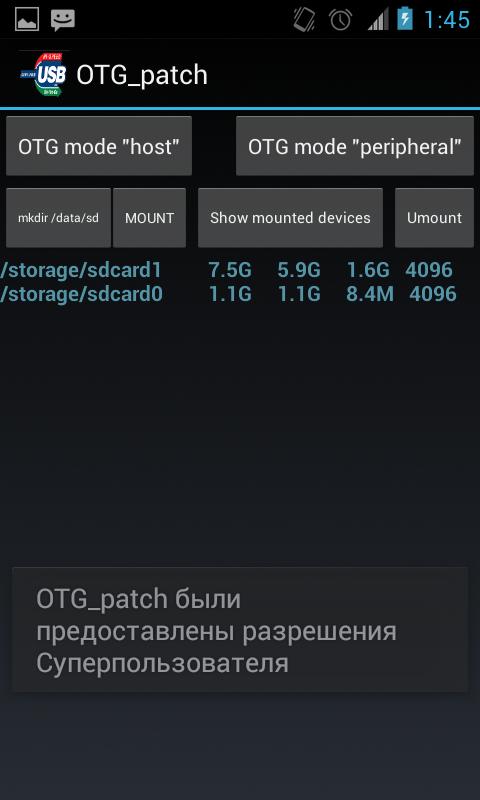
1. After loading of the application, it is necessary to change OTG operation mode for connection of an external disk, for this purpose it is necessary to press the OTG mode host button. Create the directory for assembling by means of the "mkdir/data/sd" button. It is possible to connect an external disk or the USB stick further if it it wasn't made yet, and to press the Mount button then on the screen the attached devices will appear. For an output of more detailed information it is possible to use the Mounted button. After completion of operation with external drives we switch-off them on means of clicking of the Umount button.o
اطلاعات تکمیلی برنامه
آخرین نسخه
5.0بارگذاری شده توسط
Romarinho Pk
نیاز به اندروید
Android 4.1+
دسته بندی
رایگان برنامه ابزاررتبهبندی محتوا
Everyone
گزارش
گزارش محتوای نامناسبجدیدترین چیست در نسخهی 5.0
Last updated on 29/01/2017
این نسخه شامل رفع اشکالات جزئی و بهبودهای عمومی است. برای بهترین تجربه، برنامه را به جدیدترین نسخه به
OTG USB patch + NTFS mount اسکرین شات ها


نسخههای قدیمی OTG USB patch + NTFS mount
تمام نسخهها
برچسب های مرتبط














مقالات محبوب در 24 ساعت گذشته
- Как скачать последнюю версию Plants vs Zombies Fusion Edition APK 4.0 для Android 2026
- EA SPORTS FC MOBILE 27: canjear códigos para reclamar recompensas gratis, septiembre de 2026
- Cómo descargar la última versión de Plants vs Zombies Fusion Edition APK 4.0 para Android 2026
- كيفية تنزيل Minecraft 1.21.30 APK





برای OTG USB patch + NTFS mount نظر بدهید
افزودن نظرات