
Acerca del PIP Lock Screen Passcode
PIP Lock Screen protect your mobile security with screen lock and app lock.
PIP Lock Screen: Screen Lock keeps your Android lock screen beautiful and customized your way and shows you important notifications at a glance. And we added Screen Lock Security, easy for you to protect your privacy, give your phone All-round protection. With Screen Lock Security, Nobody can check your photos, messages and apps except yourself.
PIP Lock Screen protect your mobile security with screen lock(lock screen) and app lock.
Locks your phone with password or pattern lock, Applock, lock apps & hide apps from others, download app locker and lock screen now! PIP Lock Screen protect your mobile security with screen lock(lock screen) and app lock.
How to use PIP lock screen:
1.go to setting and remove your screen lock if any.
2.start app and go to setting
3.choose wallpaper from wallpaper gallery
4.set pip theme from yourself in setting option
5.enable/disable lock screen from setting(by default enable)
6.first time entered pattern is lock password for future
◼Lock apps ◼
Lock can lock apps, any app you choose. smart applock/App locker guard your privacy and prevent unauthorized access. Ensure your secrets and mobile security!
◼Lock Screen◼
locker contains kinds of fingerprint lock screen, pattern lock screen, choice your favorite designed locker and screen locker to keep screen lock.
◼security lock◼
Lock the screen and unlock screen with our locker app. phone lock, device is protected.
Passcode Photo Lock Screen:
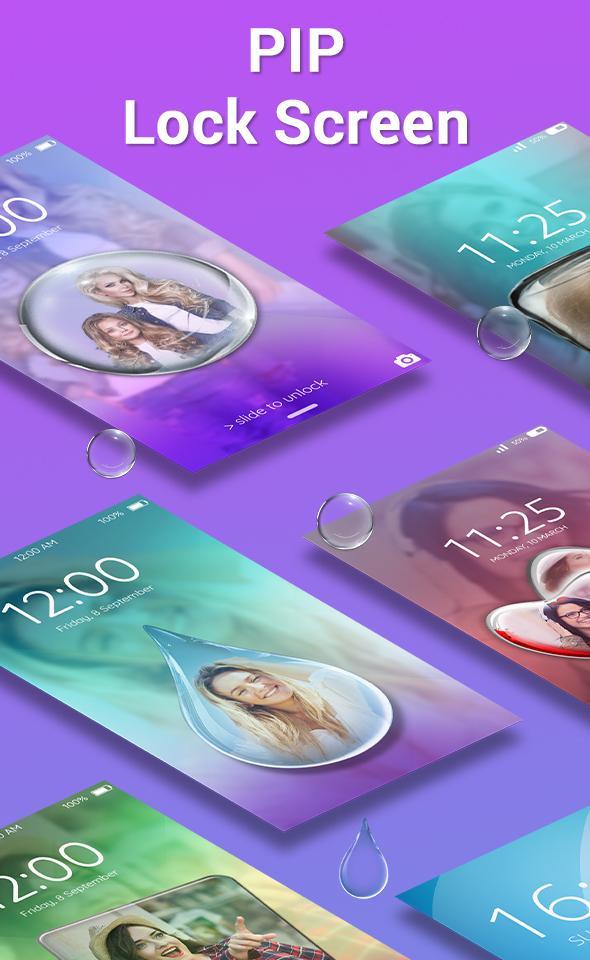
Our picture Password lock screen allows you to customize the lock screen passcode by adding images to each of the individual buttons. PIP lock screen editor. You have to select a photo from the gallery and make a photo passcode screen easily. Even you can change the shapes of buttons as well to circle, heart, rectangle and more.
Wallpaper Themes:
All the wallpaper themes have been divided into PIP and Classic themes. Apply stunning PIP Lock screen with effects. If you choose one from PIP theme, select it and choose a photo from gallery and you will picture in picture of that image with blur background.
This is the app you have been looking for a long time, download and enjoy.
Thank You…
Información Adicional de Aplicación
Última Versión
1.0Presentado por
Daniiel Lezcano Insfran
Requisitos
Android 4.0.3+
Categoría
Gratis Productividad APPClasificación de contenido
Everyone
Reportar
Marcar como inapropiadoNovedades de Última Versión 1.0
Last updated on 12/10/2017
Esta versión incluye pequeñas correcciones de errores y mejoras generales. Actualiza a la versión más reciente para disfrutar de la mejor experiencia.
PIP Lock Screen Passcode Capturas de pantalla