



Acerca del Multi Window Manager : Edge Split Screen
Ahora disfrutar de la experiencia multi ventana en su dispositivo Android.
Now Enjoy With Multi Window Experience In Your Mobile Phone Also. Install This Free Tool To Create Your Favorite List Of Installed Icons In Your Phone. And Easily Switch From One Task To Another During Your Current Task.
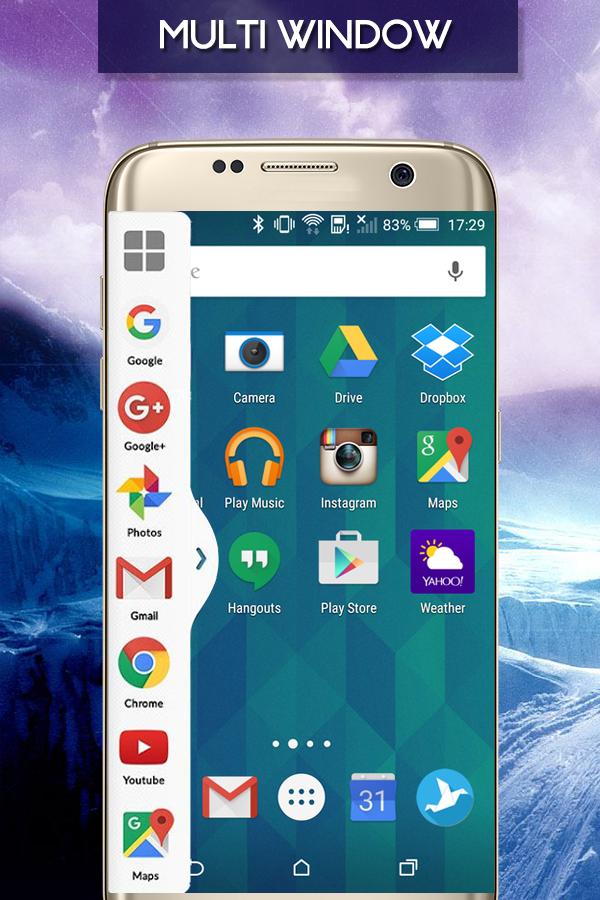
This app makes all apps multi window capable, but only adds the ones you specify to the launch tray. This means you can drag an app from the launch bar onto ANY app and it will launch in split screen...even apps that aren't explicitly selected to be enabled for multi window.
Multi Window : Split Screen (Multi Tasking)
Now you can use two apps or more than two apps at a single screen.
You can use multiple apps at a time in a Screen and no need to switch tasks.
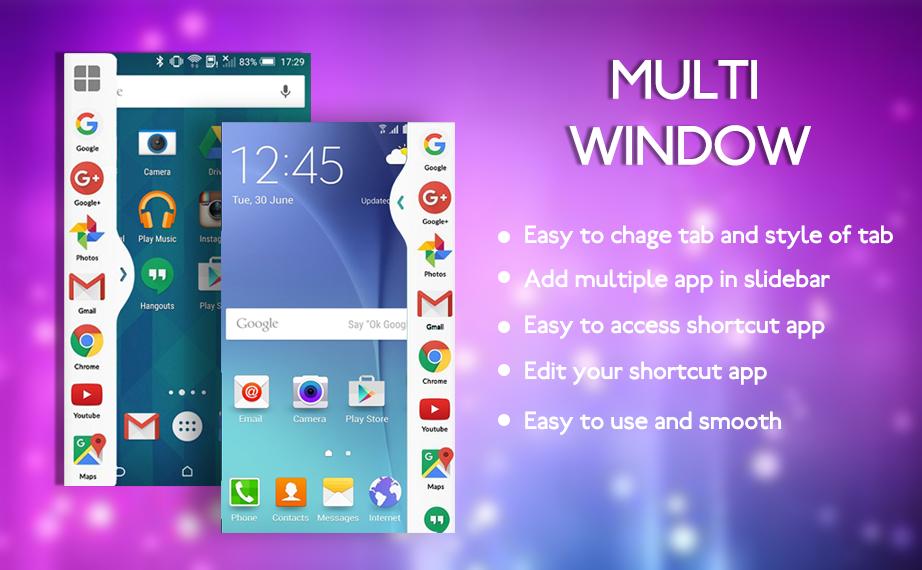
You Can Also Create Shortcuts Of Your Installed System Apps Icon Into Multi Window Tray.
And By Clicking On These Shortcuts Icons, You Can Easily Switch From One Task To Another During.
Extra Features ::
# No root required
# Long press and Drag Drop Icons On Screen For Open App.
# You Can Increase And Decrease Speed Of Multi Window Tray.
# You Can Arrange Icons.
Types: Most used app, Recently used app and Alphabetical Order.
# You Can Select Many Different Default Themes.
# You can hide and unhide On long pressing multi window Sidebar icon. (Follow Help )
# You can change transparency of slide bar.
# Customize color, animation speed,order and opacity.
# Service start automatically when phone restart Fix.
Thanking to you Using this app. and also waiting for your valuable suggestion, ideas and comments. We will consider them for your feature updates!Types: Most used app, Recently used app and Alphabetical Order.
-> You Can Select Many Different Default Themes.
-> You can hide and unhide On long pressing multi window Sidebar icon. (Follow Help )
-> You can change transparency of slide bar.
-> Customize color, animation speed,order and opacity.
Información Adicional de Aplicación
Última Versión
3.0Presentado por
Ricardo Erazo Moreno
Requisitos
Android 4.0.3+
Categoría
Gratis Herramientas APPClasificación de contenido
Everyone
Reportar
Marcar como inapropiadoNovedades de Última Versión 3.0
Last updated on 07/11/2017
Esta versión incluye pequeñas correcciones de errores y mejoras generales. Actualiza a la versión más reciente para disfrutar de la mejor experiencia.
Multi Window Manager : Edge Split Screen Capturas de pantalla


Versiones Antiguas de Multi Window Manager : Edge Split Screen
Todas las versiones
Tags Relacionados













Dejar una reseña para Multi Window Manager : Edge Split Screen
Añadir reseñas