



Über Face Screen Lock
Verwenden Sie Gesicht sperren Sie Ihre Anwendungen mit dem Gesicht schützen. Ihr Gesicht Schlüssel, um sie zu entriegeln.
Face screen Lock
If you want something different to lock /unlock your phone and tired using old Face locks try our Face Lock Screen App. Face Lock Screen is a cool and secure lock screen app with different beautiful wallpapers and clock. Smart gesture screen lock also provide the feature to change the color of the Face and hide the Face.
Face Lock Screen and clock is an amazing & professional lock screen app with awesome lock. Face Lock Screen allows you to unlock your phone with a variety of Face:. Face Lock screen also has the feature to unlock screen with pin code if you forgot your Face. You can set Face using pin code.
Face Lock Screen Features
✔ Enable or Disable Face Lock Screen in the Settings.
✔ Face and muck more to Unlock phone.
✔ Change Face using current Face or pincode.
✔ Use pincode to recover your forgotten gesture.
✔ Enable or Disable hide gesture feature from setting.
✔ Hide or show clock on gesture screen.
✔ Hide or show gesture feature when drawing a gesture.
✔ Set beautiful wallpapers as background.
✔Face Lock Screen application not allow any one to open the app without Face or pincode.
✔Face Lock Screen allows you to secure your phone and data with Face or pincode.
How to use Face Lock Screen
★ Install smart Face screen lock.
★ Make sure that default screen lock is disabled.
★ Open the application and create your first gesture.
★ Continue and confirm gesture by drawing it second time.
★ Create a 4 digit recovey pincode.
★ Confirm the pincode and your gesture is created.
★ Smart gesture screen lock is now enable.
★ Enjoy using modern smart Face screen lock.
1. Train your face. Just push on train face button and it will do automatically in later to recognize your face
2. Set password
3. Check enable screen lock
That is it.
Hope you like our free app. if you face any problem just contact with us. Do need to put here
We will continuously improve to your satisfaction.
Zusätzliche APP Informationen
Aktuelle Version
1.5Von hochgeladen
Sri Ratna Jumantan
Erforderliche Android-Version
Android 4.0.3+
Kategorie
Gratis Unterhaltung APPAltersfreigabe
Everyone
Was ist neu in der neuesten Version 1.5
Last updated on Jun 8, 2019
Diese Version enthält kleinere Fehlerbehebungen und allgemeine Verbesserungen. Aktualisiere auf die neueste Version, um die bestmögliche Nutzererfahrung zu erhalten.
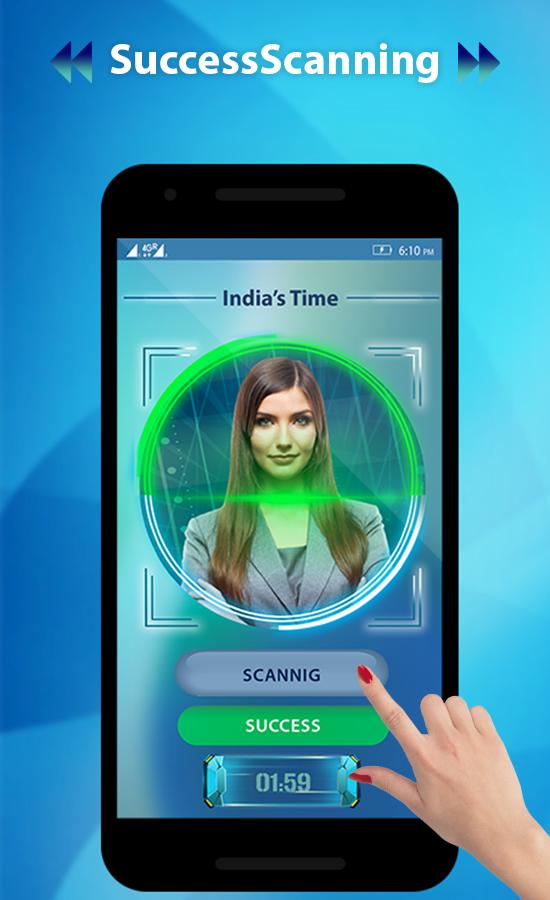
Face Screen Lock Screenshots




Alte Versionen von Face Screen Lock
Alle Versionen
Verwandte Tags












Beliebte Artikel in den letzten 24 Stunden
- Anleitung zum Download die neueste Version 21.38.130 von YouTube APK für Android 2026
- Anleitung zum Download die neueste Version 7.24.300 von YouTube for Android TV APK für Android 2026
- Anleitung zum Download die neueste Version 17.10.5 von Lidl Plus APK für Android 2026
- Anleitung zum Download die neueste Version 3.20.8002 von APKPure APK für Android 2026





Alle BewertungenBewertungen hinzufügen