



Über ClassSend
ClassSend können Sie Studenten mit einer interaktiven Lernumgebung zu engagieren
AVer is Revolutionizing Education through Technology™ with its ClassSend Student Engagement App. ClassSend lets students interact…
AVer is Revolutionizing Education through Technology™ with its ClassSend Student Engagement App.
ClassSend lets students interact and engage with their teacher’s document camera-based lessons.
Working in conjunction with the teacher’s AVer Sphere2/TabCam app presentation creation and Document Camera control software, ClassSend provides immersive and true 1 to 1 classroom engagements by allowing students to use their iPads to interact directly with lesson content.
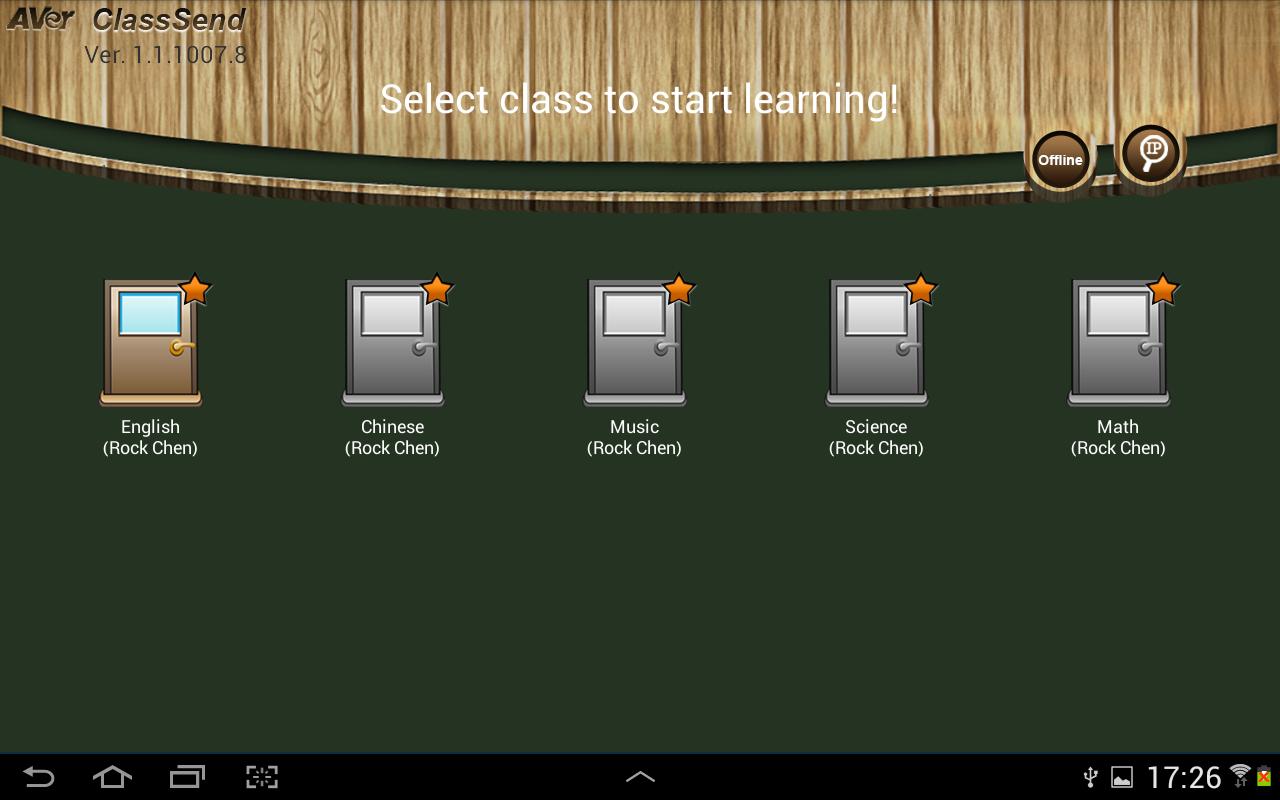
ClassSend allows students to log into class sessions and receive content sent by their teacher (using AVer Sphere2/TabCam app software) via WiFi.
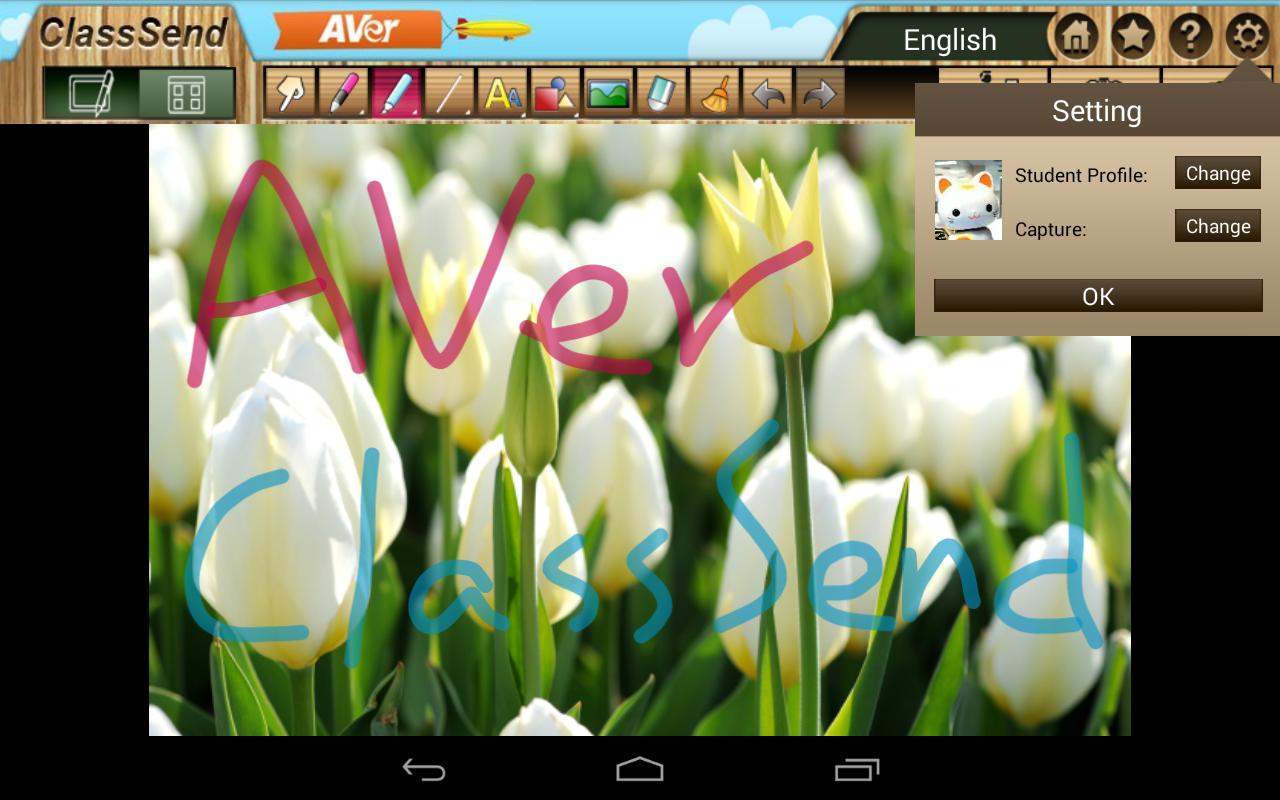
The ClassSend app provides a toolbox full of annotation features, and access to image media.
Students can add their contributions (text, drawings, shapes and images) to the lesson content, and send it back to the teacher for display via the Sphere2/TabCam app software.
When used in Offline mode (i.e., not logged into a teacher’s class session) ClassSend provides digital whiteboard capabilities with annotation tools, text, shapes and image-import features, allowing the creation of content for later use.
- Securely log into a teacher’s pre-defined class session
- Receive lesson content directly from the instructor’s Sphere2-based or TabCam app content via WiFi
- Students can draw, annotate, and import images to add their personal spin to engage with the lesson, then send their contributions back to the teacher
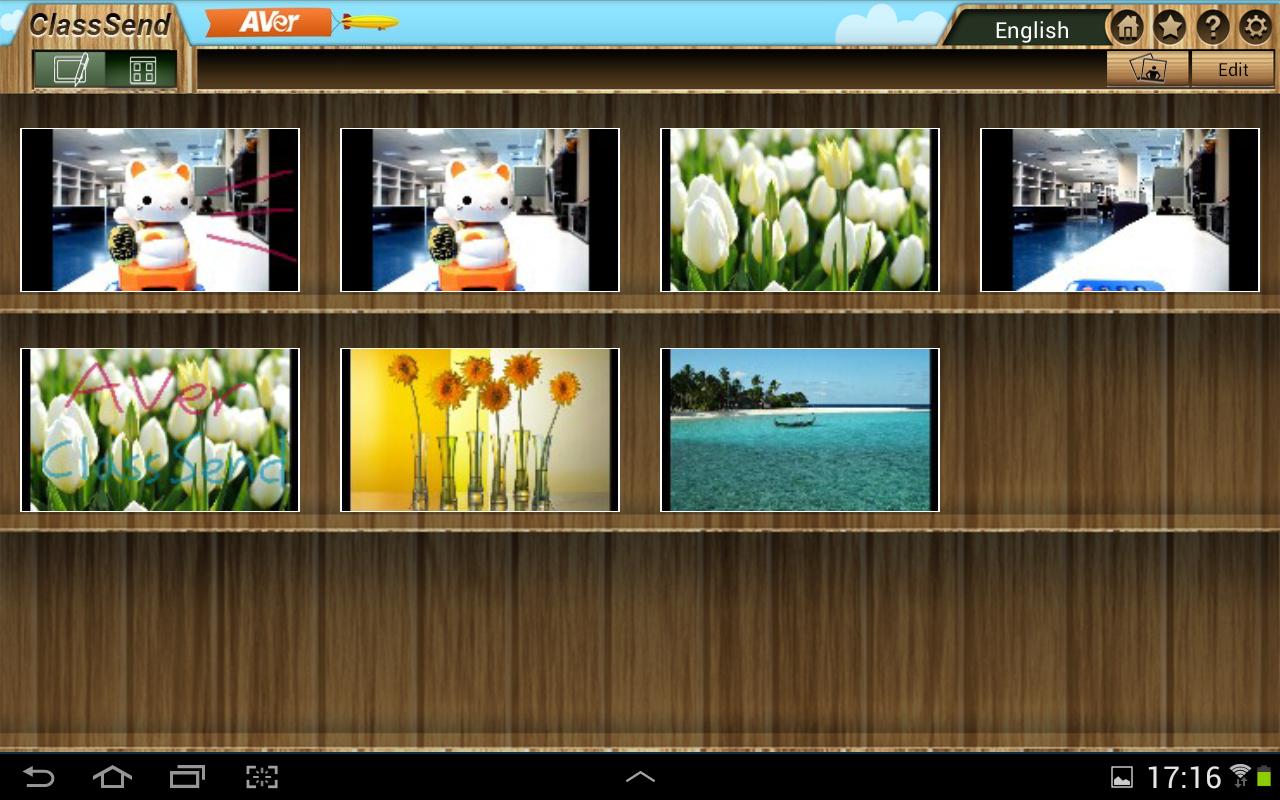
- ClassSend’s Capture feature can save screenshots of the content and store it in a built-in media library for later review
- Requires AVer Sphere2/TabCam app presentation creation and document camera software for lesson interaction and engagement. Or, can be used in Offline mode as a digital whiteboard.
Visit averusa.com/education to learn more about AVer’s document cameras, Sphere2 software, TabCam app and Aver’s other award-winning educational solutions.
Zusätzliche APP Informationen
Aktuelle Version
1.3.2018.19Von hochgeladen
Anz Codilla
Erforderliche Android-Version
Android 4.2+
Kategorie
Gratis Lernen APPAltersfreigabe
Everyone
Was ist neu in der neuesten Version 1.3.2018.19
Last updated on Jun 1, 2020
Support Android OS 7.0
ClassSend Screenshots






Verwandte Tags






















Beliebte Artikel in den letzten 24 Stunden
- Anleitung zum Download die neueste Version von YouTube APK für Android 2026
- Anleitung zum Download die neueste Version 17.11.4 von Lidl Plus APK für Android 2026
- Anleitung zum Download die neueste Version von Facebook APK für Android 2026
- Anleitung zum Download die neueste Version 77.167.16 von Slotomania™ Slots Casino Games APK für Android 2026





Hinterlassen Sie eine Bewertung für ClassSend
Bewertungen hinzufügen